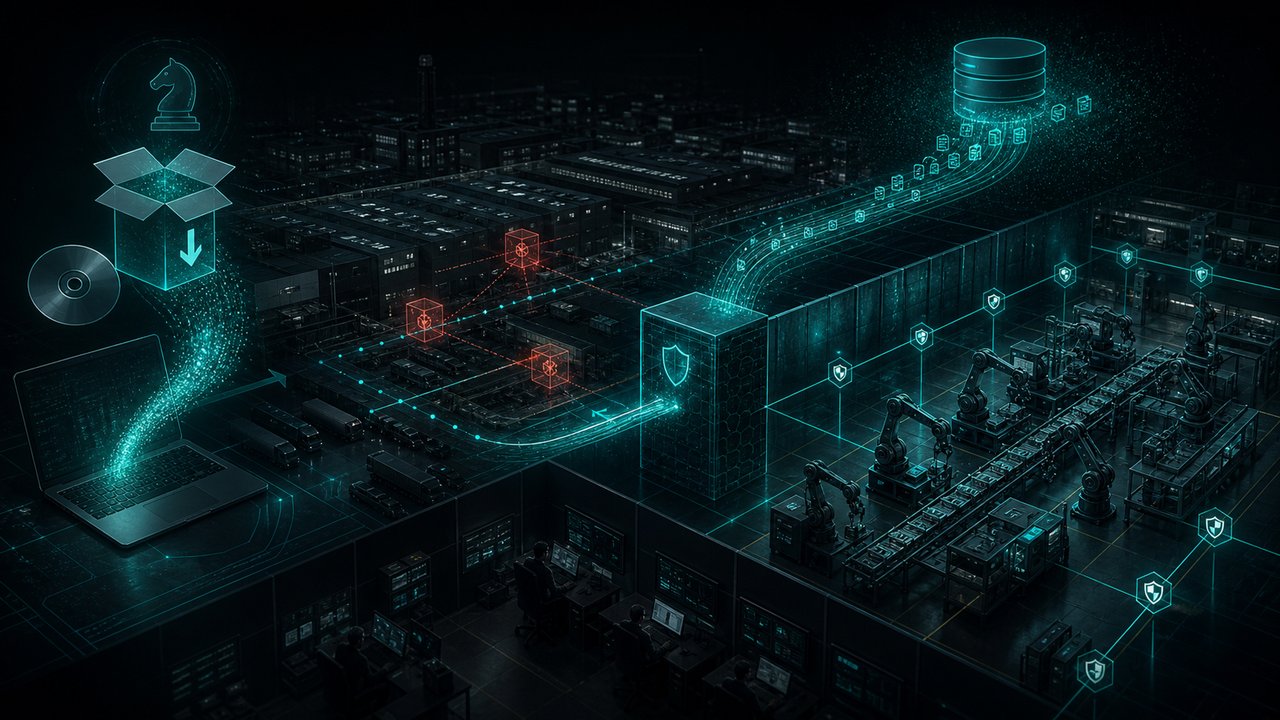
Your employees spend more time in Chrome than in any other application. Every SaaS tool, every cloud dashboard, every internal portal runs through the browser. And in March 2026, Google confirmed that two critical Chrome zero-days — CVE-2026-3909 and CVE-2026-3910 — were actively being exploited in the wild before the patch was available.
The browser has quietly become the most dangerous attack surface in enterprise environments. It runs on every machine. It executes untrusted code constantly. It is the gateway to every cloud application your organization uses. And most security teams do not have meaningful visibility into what happens inside it.
This post explains why Chrome zero-day exploits have become so valuable, how CVE-2026-3909 and CVE-2026-3910 are weaponized, and what enterprise security teams should do right now to reduce browser-based risk.
What Are CVE-2026-3909 and CVE-2026-3910?
CVE-2026-3910 is a type confusion vulnerability in Chrome’s V8 JavaScript and WebAssembly engine. Type confusion occurs when code handles memory allocated for one type of object as if it were a different type, creating conditions for arbitrary read/write operations in memory. In practical terms, a malicious webpage or ad network can trigger CVE-2026-3910 to achieve remote code execution within the Chrome renderer process.
CVE-2026-3909 is a vulnerability in Chrome’s Skia rendering engine — the graphics library that processes visual elements across the browser. This vulnerability is typically chained with CVE-2026-3910: once the V8 flaw achieves code execution in the renderer, CVE-2026-3909 provides a sandbox escape path, allowing the attacker to break out of Chrome’s security sandbox and reach the underlying operating system.
Both vulnerabilities were patched in Chrome 134.0.6998.117/118, released March 10, 2026. Both were confirmed with in-the-wild exploitation at the time of disclosure.
Why Is the Browser Your Most Dangerous Attack Surface?
The Browser Runs Untrusted Code Constantly
Every webpage your employees visit executes JavaScript in the browser context. Unlike a desktop application that runs static, reviewed code, the browser is designed to run code from millions of unvetted sources. This is fundamentally different from any other application in your environment, and it is the core reason browsers are so attractive to exploit kit developers.
A compromised ad network, a watering hole attack on an industry publication, a malicious script injected into a legitimate third-party service — all of these can deliver exploit payloads to your users without any download, attachment, or click-through required. The browser’s trust model was designed for the consumer web and is not compatible with enterprise security requirements.
The SaaS Attack Surface Amplifier
81% of corporate data now lives in SaaS applications accessed via browser, according to 2026 cloud security research. Compromising the browser does not just give an attacker code execution on the endpoint — it gives them authenticated access to every web application that browser has an active session with: email, file storage, project management tools, HR systems, financial platforms, and internal dashboards.
This is why browser zero-days command extraordinary prices on dark web markets: $1 million to $3 million for a full Chrome remote code execution plus sandbox escape chain, according to Zerodium’s 2025/2026 pricing. That pricing reflects the actual value of access: one successful browser exploit can yield access to an entire organization’s cloud infrastructure without touching a single traditional endpoint.
What Happens When Teams Don’t Solve This
The enterprise patch lag for browser updates averages 14 days after release. Critical vulnerability exploitation begins within 4.76 days of disclosure. The gap is 9 days of structural exposure, even in organizations that take browser patching seriously.
For organizations that treat browser updates as low-priority IT maintenance, the exposure window can stretch to weeks or months. During that window, a single visit to a compromised website delivers full compromise to any unpatched user.
How CVE-2026-3910 Is Weaponized: The V8 Exploit Chain
For security teams who need to understand the mechanics to inform detection strategy, here is how a V8 type confusion exploit typically operates:
- Trigger the type confusion. Malicious JavaScript manipulates the V8 engine’s object type tracking through a carefully crafted sequence of operations.
- Achieve arbitrary read/write. The type confusion creates a “confused” object whose size metadata is incorrect, allowing the attacker to read from and write to arbitrary memory locations.
- Bypass ASLR. The attacker uses the arbitrary read capability to leak memory addresses, defeating Address Space Layout Randomization.
- Shellcode execution. With ASLR defeated and write primitives established, the attacker overwrites a function pointer to redirect execution to shellcode.
- Sandbox escape via CVE-2026-3909. Chrome’s renderer sandbox prevents direct OS access. CVE-2026-3909 provides the escape path via a Skia rendering flaw that reaches GPU process memory and subsequently the OS kernel.
Old Way vs. New Way: Browser Security Posture
| Old Approach | Modern Approach |
| Patch browsers on monthly IT cycle | Force-update browsers within 24 hours of critical patch |
| Block known malicious domains | Add browser isolation for high-risk browsing sessions |
| Rely on antivirus for post-exploit detection | Deploy EDR with behavioral heuristics for renderer process anomalies |
| Hope employees don’t visit malicious sites | Assume users will visit compromised sites and build detection around post-exploit behavior |
| No visibility into browser process activity | EDR monitoring of Chrome renderer, GPU process, and child process spawning |
| Single-factor SaaS authentication | MFA on every SaaS app to limit post-exploit session hijacking |
How Peris.ai Addresses the Browser Threat
Peris.ai’s integrated platform addresses browser threats across three layers:
EDR is the primary detection layer for browser exploit chains. Peris.ai’s EDR monitors Chrome renderer process behavior in real time: heap spray activity, unusual memory allocation patterns, child process spawning from the browser context (a classic post-exploitation indicator), and network connections initiated by the renderer process to unexpected destinations. These behavioral signals are detectable without CVE signatures and fire whether the exploit is known or novel.
INDRA CTI tracks browser exploit kit activity across the threat landscape. When new Chrome zero-day exploitation campaigns emerge, INDRA CTI provides IOCs for the C2 infrastructure, the exploit delivery domains, and the post-exploitation tooling.
BrahmaFusion automates the response. When EDR detects a compromised browser session, BrahmaFusion’s AI Playbook Builder can automatically isolate the affected endpoint, revoke active SaaS sessions via integrated identity provider APIs, notify the security team, and open an incident case in the Peris.ai IRP, all before an analyst has completed reviewing the first alert.
Enterprise Browser Security Hardening: A Practical Checklist
- Force-update Chrome immediately. Patch to 134.0.6998.117 or later. Do not wait for your standard patch cycle for CVSS 8.0+ browser vulnerabilities.
- Enable Chrome’s Enhanced Safe Browsing. This provides real-time URL checking against Google’s threat databases and is a zero-cost hardening measure.
- Restrict browser extensions. Enforce allowlisting of approved extensions via Google Workspace or Microsoft Intune policies. Unauthorized extensions are a parallel compromise vector.
- Monitor child processes spawned from Chrome. PowerShell, CMD, or WScript spawned as a child of the Chrome renderer process is a near-certain indicator of successful exploitation.
- Deploy behavioral EDR on all endpoints. Signature-based detection cannot catch novel exploit chains. Behavioral heuristics tied to the renderer process are the effective detection layer.
- Implement MFA on all SaaS applications. Post-exploitation session hijacking is the most common browser exploit follow-on. MFA limits the blast radius of a compromised browser session.
- Evaluate browser isolation. Remote browser isolation (RBI) eliminates browser zero-day risk by running browser code in an isolated cloud environment. Adoption is still under 12% of enterprises, representing a significant untapped risk reduction opportunity.
Benefits at a Glance
| Capability | Outcome |
| EDR renderer process monitoring | Detects exploit chains via behavioral heuristics, not signatures |
| INDRA CTI browser exploit intelligence | IOC context for Chrome exploit campaigns |
| BrahmaFusion automated isolation | Endpoint contained and SaaS sessions revoked within minutes |
| Peris.ai IRP case management | Structured investigation for post-exploit forensics |
| 47% cost savings | Measured across Peris.ai client portfolio for contained incidents |
Conclusion
CVE-2026-3909 and CVE-2026-3910 are a reminder that the browser is not just an application — it is the primary attack surface for the modern enterprise. With 81% of corporate data in SaaS apps and every employee spending most of their day in Chrome, the browser is the highest-value target in your environment.
Patch immediately. Deploy behavioral EDR. And accept that the question is not whether your users will encounter browser exploit attempts — it is whether your detection stack will catch what happens after one succeeds.
Explore how Peris.ai’s EDR and BrahmaFusion protect enterprise endpoints from browser-based threats. Visit peris.ai/blog for more enterprise security insights, or explore the full platform at peris.ai.
Frequently Asked Questions
What are CVE-2026-3909 and CVE-2026-3910?
CVE-2026-3910 is a V8 JavaScript engine type confusion vulnerability enabling remote code execution in Chrome. CVE-2026-3909 is a Skia rendering engine flaw used to escape Chrome’s sandbox. Both were exploited in the wild and patched in Chrome 134.0.6998.117 in March 2026.
Why are Chrome zero-days so expensive on dark web markets?
A full Chrome RCE plus sandbox escape chain is valued at $1M to $3M because it grants code execution on the victim’s machine and authenticated access to all open browser sessions, effectively bypassing SaaS authentication for every cloud app the user is logged into.
How can EDR detect Chrome exploit chains without a CVE signature?
Behavioral EDR monitors Chrome’s renderer process for heap spray activity, unusual memory allocations, unexpected child process spawning (e.g., PowerShell from Chrome), and outbound network connections from the renderer, all of which are indicators of post-exploitation regardless of the specific vulnerability exploited.
What is the enterprise browser patch lag in 2026?
Enterprises take an average of 14 days to deploy browser patches after release. Since exploitation of disclosed critical vulnerabilities begins within 4.76 days, organizations face approximately 9 days of structural exposure even with active patch programs.
What is remote browser isolation (RBI) and how does it help?
Remote browser isolation runs browser execution in an isolated cloud or server environment, sending only a visual stream to the user’s endpoint. This eliminates local code execution entirely, making browser zero-day exploits ineffective. Adoption remains below 12% of enterprises as of 2026.