Category: Article

  • Cloud Security Monitoring: How to Track Unauthorized Access Attempts

    Cloud Security Monitoring: How to Track Unauthorized Access Attempts

    Cloud security has become a top priority as businesses increasingly rely on digital platforms. Unauthorized access remains one of the leading causes of data breaches, resulting in financial losses, reputational harm, and compliance violations. As cyber threats evolve, real-time monitoring and proactive security measures are essential to protecting cloud environments.

    Recent incidents, such as the Dropbox Sign breach in April 2024, highlight how attackers exploit misconfigurations and weak access controls. In this case, customer emails and API keys were exposed, emphasizing the importance of strict security policies.

    To mitigate unauthorized access risks, organizations need advanced monitoring tools, strong authentication measures, and automated security frameworks. This guide explores effective strategies for detecting and preventing unauthorized access attempts in cloud environments.

    Why Cloud Security Monitoring Matters

    With more organizations migrating to cloud-based infrastructure, securing cloud access has never been more critical. A single security gap can expose sensitive data to cybercriminals, leading to severe financial and operational consequences.

    Key Reasons to Prioritize Cloud Security Monitoring

    • Increasing Cyber Threats – Attackers actively exploit cloud misconfigurations and weak credentials.
    • Regulatory & Compliance Requirements – Frameworks such as GDPR, ISO 27001, and NIST mandate continuous security monitoring.
    • Financial & Reputational Risks – Data breaches cost an average of $4.45 million per incident, with long-term damage to brand trust.

    Implementing a well-defined cloud security strategy helps organizations stay ahead of potential threats, ensuring secure access to sensitive data.

    Understanding Unauthorized Access in Cloud Environments

    Unauthorized access occurs when a cybercriminal or unverified individual gains entry to cloud systems without proper authorization. These security breaches often result from weak authentication, phishing attacks, or compromised credentials.

    Common Entry Points for Unauthorized Access

    • Weak Passwords & Credential Stuffing – Attackers exploit poor password hygiene to gain unauthorized access.
    • Misconfigured Cloud Storage & APIs – Exposed databases and publicly accessible APIs serve as easy targets for attackers.
    • Phishing & Social Engineering – Deceptive tactics trick employees into revealing login credentials.
    • Insider Threats – Employees or contractors with excessive privileges may intentionally or unintentionally expose sensitive data.

    By continuously monitoring access logs, user behavior, and network activity, organizations can detect suspicious activity and mitigate risks before a breach occurs.

    Cloud Security Monitoring Techniques to Detect Unauthorized Access

    A strong cloud security strategy requires real-time monitoring, AI-driven analytics, and proactive defense mechanisms to track suspicious access attempts.

    1. Real-Time Security Monitoring & AI-Powered Threat Detection

    Security teams need automated tools to track access attempts and detect anomalies in real time. AI-driven Security Information and Event Management (SIEM) and User and Entity Behavior Analytics (UEBA) systems provide comprehensive insights into cloud activity.

    How Real-Time Monitoring Enhances Security:

    • Tracks login attempts, file movements, and access behavior to detect suspicious activity.
    • Identifies abnormal access patterns, such as logins from unfamiliar locations or multiple failed login attempts.
    • Automates security alerts and incident response, reducing response time and limiting potential damage.

    By leveraging AI-powered monitoring, organizations can minimize false positives while focusing on real security threats.

    2. Multi-Factor Authentication (MFA) & Role-Based Access Controls

    One of the most effective ways to prevent unauthorized access is enforcing multi-factor authentication (MFA) across cloud accounts.

    Why MFA is Critical for Security:

    • Reduces the risk of credential-based attacks, even if passwords are compromised.
    • Requires an additional verification step (one-time passcode, biometric scan, or authentication app).
    • Prevents brute-force attacks and credential stuffing by adding an extra layer of security.

    Implementing Role-Based Access Control (RBAC):

    • Limit user privileges to only the systems and data they need.
    • Regularly audit user permissions to remove outdated or unnecessary access.
    • Apply least privilege access (LPA) to ensure minimal exposure to sensitive information.

    3. Cloud Log Analysis & Anomaly Detection

    Continuous log monitoring is crucial for detecting unauthorized access attempts. Security teams should analyze cloud access logs, network activity, and authentication events for anomalies.

    What to Monitor in Cloud Logs:

    • Unusual login attempts from new locations.
    • Large data transfers or excessive file downloads.
    • Multiple failed login attempts from the same IP address.
    • Unexpected changes in system permissions or configurations.

    Recommended Cloud Logging Tools:

    • AWS CloudTrail & GuardDuty for tracking API access and suspicious activity.
    • Google Chronicle & Azure Sentinel for real-time cloud security analytics.
    • Splunk & IBM QRadar for AI-driven security event monitoring.

    Monitoring user behavior, network activity, and authentication logs ensures organizations can respond quickly to potential threats.

    4. Automated Incident Response & Threat Containment

    Organizations need an automated response strategy to contain unauthorized access attempts before they escalate.

    Key Steps in Incident Response:

    1. Detect Unauthorized Access – AI-driven threat intelligence identifies and flags anomalies.
    2. Contain the Threat – Restrict compromised accounts, disable unauthorized sessions, and isolate affected systems.
    3. Investigate the Incident – Analyze security logs to determine the source and method of intrusion.
    4. Remediate & Strengthen Defenses – Implement security updates, rotate compromised credentials, and enforce stricter access controls.

    Automating these processes reduces response time and helps prevent further security incidents.

    The Future of Cloud Security: Zero-Trust & AI-Driven Monitoring

    The future of cloud security is centered around Zero-Trust security models and AI-driven automation.

    Zero-Trust Security Principles:

    • Assume no trust; verify every request.
    • Continuous authentication & access monitoring.
    • Micro-segmentation to restrict unauthorized lateral movement in networks.

    AI-Driven Security Innovations:

    • Self-learning AI algorithms that detect and respond to threats autonomously.
    • Predictive analytics that prevent unauthorized access before it happens.
    • Cloud security automation that reduces human error and misconfigurations.

    Organizations that adopt Zero-Trust security and AI-powered monitoring will enhance protection against evolving threats.

    Protect Your Cloud with Peris.ai Cybersecurity

    Peris.ai Cybersecurity provides AI-powered cloud security solutions to detect, track, and prevent unauthorized access attempts.

    • Real-time cloud threat intelligence to monitor security risks.
    • AI-driven behavioral analytics to identify suspicious activity.
    • Automated incident response for faster threat containment.
    • Zero-Trust security frameworks for enhanced cloud protection.

    Secure your cloud today! Learn more about Peris.ai Cybersecurity →

    Final Thoughts

    Cloud security monitoring is essential for protecting sensitive data and ensuring business continuity. By implementing real-time monitoring, AI-powered analytics, and automated response strategies, organizations can prevent unauthorized access and strengthen their cloud defenses.

    What cloud security challenges is your organization facing? Let’s discuss in the comments!
  • Footprinting in Cybersecurity: Understanding, Types, and Prevention

    Footprinting in Cybersecurity: Understanding, Types, and Prevention

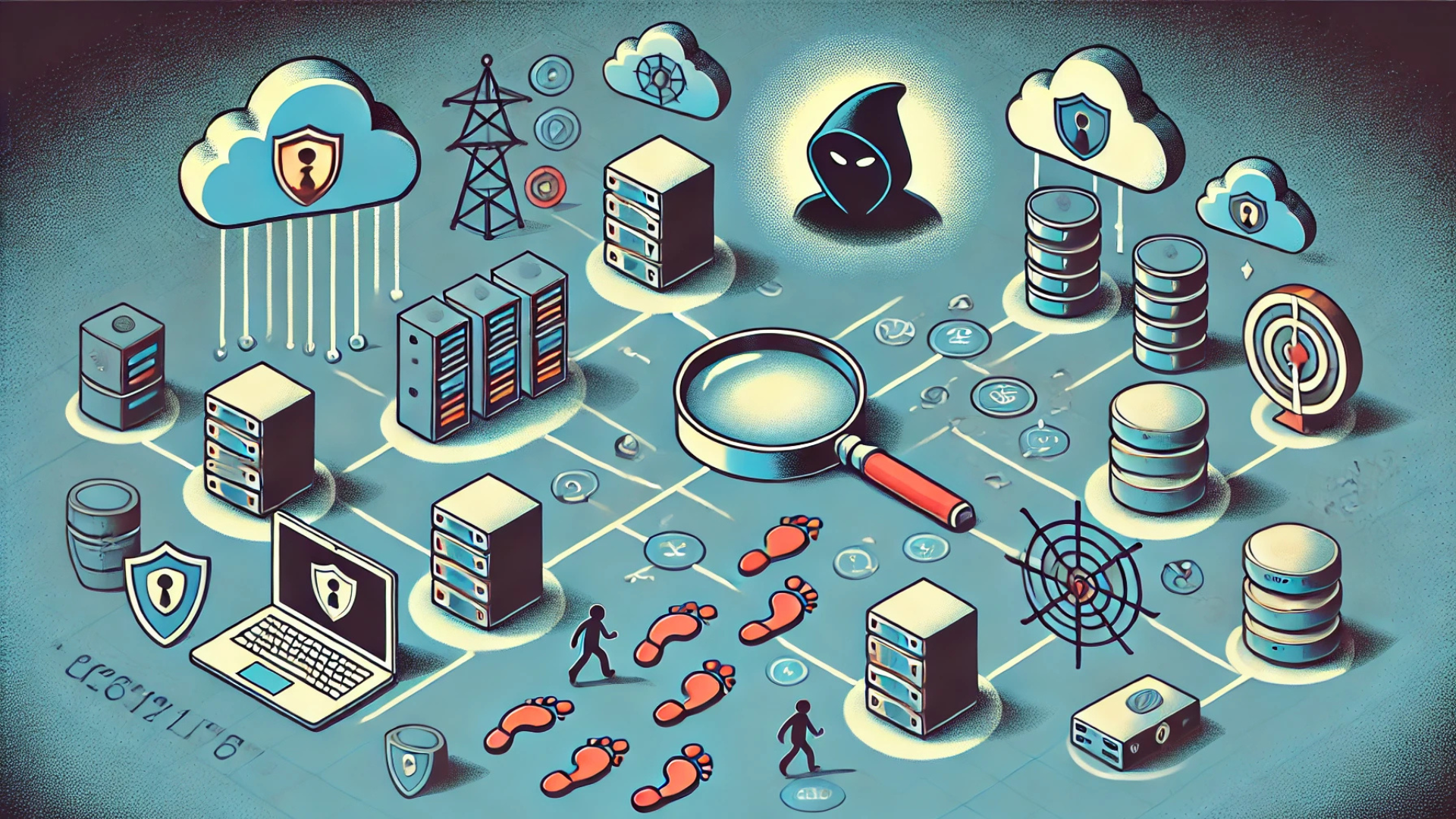
    Information is one of the most valuable assets in today’s digital world. Cybercriminals understand this and use various techniques to gather intelligence on their targets before launching an attack. One of the most widely used methods for this purpose is footprinting—the process of collecting information about a system, network, or user infrastructure to identify vulnerabilities.

    While ethical hackers use footprinting to strengthen security, attackers exploit it to find weak points for cyber intrusions. Understanding how footprinting works, its different types, and how to prevent it is essential for individuals and organizations looking to protect their data from potential cyber threats.

    What is Footprinting?

    Footprinting is the first step in a cyber attack—the reconnaissance phase where hackers gather intelligence about a target. The goal is to map out the digital footprint of an organization, identify vulnerabilities, and exploit them.

    • What Kind of Data is Collected?
    • Who Uses Footprinting?

    Footprinting can be conducted in various ways, some requiring direct interaction with the target, while others involve passive observation with no direct engagement.

    Types of Footprinting

    Understanding the different types of footprinting helps security professionals detect and mitigate potential attacks.

    1. Active Footprinting (Direct Interaction)

    Active footprinting involves direct engagement with a system or network to extract information. Since it requires interaction, it is easier to detect.

    Common Techniques:

    • Network scanning: Uses tools like Nmap to identify open ports and services running on a target system.
    • Traceroute analysis: Maps out how data travels between networks to reveal system architecture.
    • Social engineering: Attackers manipulate employees into revealing confidential data through phishing, impersonation, or pretexting.

    Example: A hacker pings an organization’s server to check for open ports and running services that could be exploited for an attack.

    2. Passive Footprinting (Indirect Observation)

    Passive footprinting is harder to detect because it does not involve direct interaction with the target. Instead, attackers rely on publicly available information.

    Common Techniques:

    • Social media analysis: Scouring platforms like LinkedIn, Facebook, and Twitter for employee details, email formats, or corporate announcements.
    • Google Dorking: Using advanced search engine queries to uncover sensitive files, login portals, or unprotected databases.
    • WHOIS lookup: Checking domain registration records to find administrator details, IP addresses, and hosting services.

    Example: An attacker finds an exposed database by searching for specific keywords on Google, gaining access to sensitive user information without triggering any alerts.

    Common Footprinting Tools

    Both security professionals and cybercriminals rely on specialized tools to conduct footprinting effectively. Some of the most commonly used tools include:

    • Nmap – A powerful network scanner that maps open ports and running services on a target system.
    • Metasploit – A penetration testing framework used to assess security vulnerabilities.
    • Shodan – A search engine that scans and indexes internet-connected devices, exposing IoT vulnerabilities.
    • Maltego – A tool that helps analyze relationships between domains, organizations, and individuals.

    Organizations should proactively monitor network activity for unusual scanning behavior, as these tools are frequently used by attackers during reconnaissance.

    The Risks of Footprinting in Cybersecurity

    If an attacker successfully gathers enough information through footprinting, the consequences can be severe.

    1. Exploitation of Vulnerabilities

    Cybercriminals use footprinting to identify weak points in an organization’s network. Unpatched systems, outdated software, and misconfigured services become easy targets for exploitation.

    2. Phishing & Social Engineering Attacks

    By collecting employee details, email formats, and internal structure information, attackers can craft highly convincing phishing emails that trick victims into revealing credentials or clicking on malicious links.

    Example: A hacker impersonates an IT admin in an email, requesting an employee to reset their password via a fake login page.

    3. Data Breaches & Leaks

    Attackers use footprinting to locate exposed databases, misconfigured cloud storage, or leaked credentials that can be used to access confidential information.

    4. Unauthorized System Access

    Understanding a company’s network structure and security posture allows attackers to bypass security controls and gain unauthorized access to critical systems.

    Organizations need to take footprinting seriously as a real-world cyber threat that attackers can exploit at any time.

    How to Prevent Footprinting Attacks

    To minimize the risks associated with footprinting, businesses and individuals must take proactive steps to limit publicly available information and strengthen their security posture.

    1. Use Strong Firewalls & Intrusion Detection Systems (IDS)

    • Firewalls mask critical information from network scans.
    • Intrusion detection systems alert security teams when suspicious scanning activity is detected.

    2. Limit Publicly Available Information

    • Avoid sharing sensitive data such as internal emails, employee details, and infrastructure-related information on social media or corporate websites.
    • Regularly conduct external audits to identify and remove exposed data.

    3. Implement Security through Obfuscation

    • Conceal software versions, operating system details, and application names to make it difficult for attackers to fingerprint your systems.
    • Use tools to hide metadata in public documents.

    4. Regular Software Updates & Patching

    • Keeping software, plugins, and security patches up to date helps close vulnerabilities before attackers can exploit them.

    5. Monitor Network Activities & Suspicious Behavior

    • Deploy network monitoring tools to detect and block footprinting attempts in real time.
    • Set up alerts for unusual traffic spikes or repeated connection attempts from unknown sources.

    6. Security Awareness Training for Employees

    • Educate employees on social engineering risks and how footprinting can be used to target them.
    • Conduct regular phishing simulations to test and improve employee awareness.

    By implementing these security measures, organizations can significantly reduce their exposure to footprinting attacks and strengthen their defenses against cyber threats.

    Final Thoughts: Stay One Step Ahead of Cybercriminals

    Footprinting is a critical phase in cyber attacks, allowing hackers to gather intelligence on their targets. Whether done passively through Google Dorking and WHOIS lookups or actively through network scans and social engineering, the end goal is always the same—to identify vulnerabilities and exploit them.

    Understanding how footprinting works empowers businesses and individuals to stay one step ahead of cybercriminals. Organizations can effectively reduce their risk of being targeted by implementing firewalls, limiting public information, monitoring suspicious activities, and conducting regular security training.

    Don’t Let Cybercriminals Use Your Information Against You!

    Stay vigilant, take proactive measures, and enhance your security strategy with Peris.ai Cybersecurity.

    Protect your business today – Visit Peris.ai for more cybersecurity insights.

  • How Organizations Can Track and Improve Their Cyber Hygiene Scores

    How Organizations Can Track and Improve Their Cyber Hygiene Scores

    In today’s rapidly evolving digital landscape, cyber hygiene is no longer optional—it is essential. With cyber threats increasing in both volume and sophistication, organizations must proactively monitor and enhance their security posture to protect sensitive data, prevent breaches, and maintain compliance with industry regulations.

    Tracking cyber hygiene scores allows businesses to assess their current security standing, identify vulnerabilities, and implement data-driven improvements. Tools such as real-time security ratings and AI-driven monitoring provide critical insights to strengthen defenses against cyberattacks.

    Why Cyber Hygiene Matters

    • Over 80% of data breaches result from poor cyber hygiene practices, including weak passwords, unpatched systems, and lack of security awareness training.
    • Organizations that prioritize continuous monitoring and automated security assessments are 40% less likely to experience breaches.
    • Cyber hygiene directly impacts customer trust, regulatory compliance, and operational resilience.

    This guide explores how businesses can track, evaluate, and improve their cyber hygiene scores with best practices, cutting-edge tools, and Peris.ai Cybersecurity’s AI-driven security solutions.

    Understanding Cyber Hygiene in a High-Risk Digital Environment

    Cyber hygiene refers to the routine practices and security measures that organizations adopt to protect their networks, devices, and sensitive data from cyber threats. Much like personal hygiene helps prevent illness, good cyber hygiene minimizes cybersecurity risks.

    Common Cyber Hygiene Challenges

    Many businesses struggle with poor security habits that expose them to cyber threats, including:

    • Unpatched software vulnerabilities – Cybercriminals exploit outdated systems to gain access to sensitive data.
    • Weak access control measures – Insecure passwords and excessive user privileges increase the risk of breaches.
    • Lack of employee security trainingPhishing attacks account for 90% of all data breaches, making cybersecurity awareness essential.
    • Misconfigured cloud resources – Publicly exposed cloud storage, APIs, and databases are common attack targets.
    • Absence of a structured incident response plan – Delayed responses to security incidents lead to higher breach costs.

    Key Cyber Hygiene Metrics Organizations Should Track

    To improve security, businesses must track, measure, and benchmark their cyber hygiene performance. Critical metrics include:

    • Patch Management Efficiency – Tracks how quickly security patches and software updates are applied.
    • Access Management Score – Measures the effectiveness of password policies, MFA implementation, and least privilege access.
    • Incident Response Time (MTTR/MTTD) – Evaluates how quickly an organization can detect, respond to, and mitigate threats.
    • Data Exposure Risk – Identifies the risk of sensitive information being leaked or stolen.
    • Phishing Susceptibility Rate – Assesses employee awareness through simulated phishing attacks.

    How Organizations Can Track and Improve Their Cyber Hygiene Scores

    Organizations must implement automated security solutions, real-time monitoring, and AI-driven analytics to track and enhance their cyber hygiene.

    1. Leveraging Real-Time Security Ratings & Continuous Monitoring

    Security ratings provide an objective assessment of an organization’s risk posture. Platforms like RiskXchange use AI-driven scoring models to evaluate weaknesses and detect security gaps before they are exploited.

    How It Works:

    • Continuously scans for vulnerabilities, misconfigurations, and threat exposure.
    • Provides a real-time cyber hygiene score based on risk factors.
    • Alerts security teams when the score drops due to new risks.

    By benchmarking against industry standards, organizations can set clear improvement goals and enhance compliance with ISO 27001, NIST, and GDPR regulations.

    2. Strengthening Security Through AI & Data-Driven Analytics

    AI-driven security solutions analyze vast amounts of data to identify hidden vulnerabilities and predict potential threats. These tools enhance threat detection, automate security response, and optimize cyber hygiene.

    AI-Powered Security Benefits:

    • Detects anomalous user behavior and insider threats.
    • Reduces false positives, allowing security teams to focus on real risks.
    • Enhances network monitoring, endpoint protection, and cloud security.

    Studies show that businesses using AI-driven cybersecurity experience 40% faster threat detection and mitigation compared to traditional security models.

    3. Implementing a Proactive Risk Management Strategy

    A structured risk management plan is critical for identifying vulnerabilities and mitigating cyber threats. Organizations should adopt a zero-trust framework, conduct regular risk assessments, and implement automated security controls.

    Key Steps for a Stronger Risk Management Plan:

    • Conduct regular penetration testing and vulnerability assessments to identify weaknesses.
    • Enforce least privilege access policies to limit data exposure.
    • Develop a comprehensive incident response plan to address breaches swiftly.

    By following these proactive measures, businesses can reduce cyber risk exposure and maintain a high cyber hygiene score.

    Best Practices for Improving Cyber Hygiene in Your Organization

    1. Employee Training & Awareness Programs

    Human error remains one of the biggest cybersecurity risks. Organizations must provide ongoing security awareness training to help employees recognize and prevent cyber threats.

    Effective Cyber Hygiene Training Strategies:

    • Conduct simulated phishing attacks to test employee awareness.
    • Require mandatory cybersecurity workshops on best practices.
    • Reinforce multi-factor authentication (MFA) adoption across all accounts.

    2. Automating Patch & Vulnerability Management

    Cybercriminals exploit unpatched software vulnerabilities to gain system access. Automated patch management ensures timely security updates, reducing exposure to exploits.

    Why It Matters:

    • 60% of breaches involve vulnerabilities that could have been prevented with patches.
    • Automated patching eliminates manual delays and human oversight errors.
    • Ensures continuous compliance with security frameworks like NIST and CIS.

    3. Strengthening Endpoint Security & Network Monitoring

    With the rise of remote work and cloud adoption, endpoint security is more important than ever. Organizations should deploy endpoint detection and response (EDR) solutions to protect against advanced threats.

    Key Endpoint Security Practices:

    • Implement device encryption and endpoint access controls.
    • Use real-time threat detection and behavioral analysis to identify malware.
    • Monitor all outbound network traffic for signs of data exfiltration.

    Future of Cyber Hygiene: AI, Automation & Zero Trust Security

    The future of cybersecurity lies in AI-driven automation and Zero-Trust security models. Businesses must continuously adapt their cyber hygiene strategies to stay ahead of evolving threats.

    Cybersecurity Trends to Watch:

    • AI-powered threat intelligence for predictive attack prevention.
    • Automated security policy enforcement to ensure compliance.
    • Zero-trust network architecture to minimize attack surfaces.

    By integrating these next-gen cybersecurity technologies, businesses can enhance cyber resilience, reduce risk exposure, and build a culture of security.

    Protect Your Organization with Peris.ai Cybersecurity

    Cyber hygiene is the foundation of a secure digital environment. Without real-time monitoring, AI-driven security analytics, and a proactive risk management strategy, organizations remain vulnerable to cyber threats.

    At Peris.ai Cybersecurity, we provide:

    • AI-powered threat intelligence for real-time attack prevention.
    • Continuous risk monitoring to track and improve cyber hygiene scores.
    • Zero-trust security solutions to protect sensitive assets.

    Stay ahead of cyber threats. Strengthen your cybersecurity posture today! Learn More About Peris.ai

    #PerisAI #CyberHygiene #CyberSecurity #ZeroTrust #AIThreatDetection #YouBuild #WeGuard

    Final Thoughts

    By following structured cyber hygiene best practices, tracking real-time security ratings, and leveraging AI-driven automation, organizations can build a strong security foundation. Investing in cybersecurity today means protecting business continuity and customer trust for the future.

    What steps is your business taking to improve cyber hygiene? Let’s discuss in the comments!

  • Beware of Malicious Push Notifications: A Growing Cyber Threat

    Beware of Malicious Push Notifications: A Growing Cyber Threat

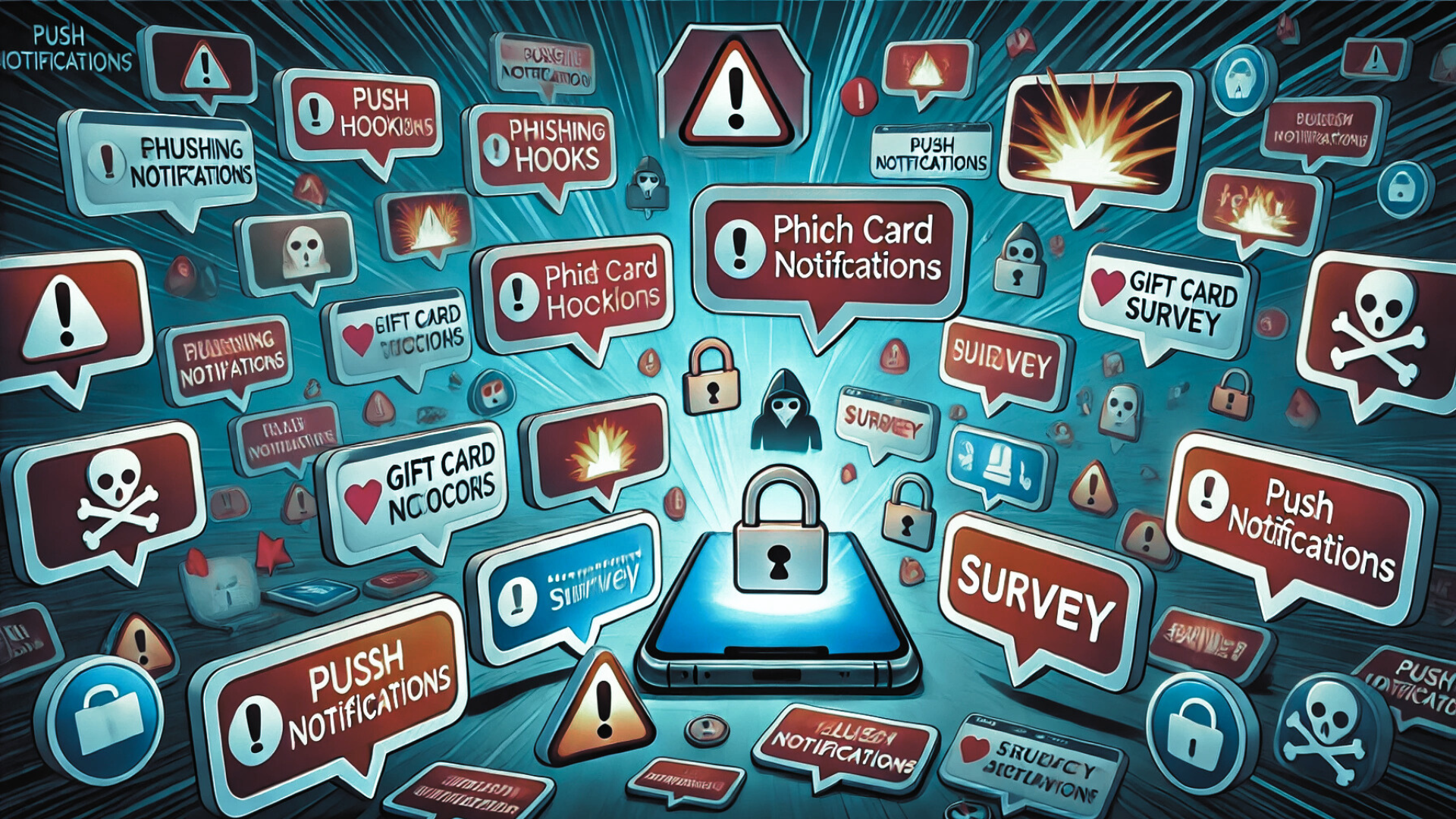
    Push notifications have transformed how we engage with digital content, providing instant alerts from websites, apps, and services. However, cybercriminals are now exploiting this feature to deliver scams, phishing attacks, and malware—turning a once-useful tool into a serious cybersecurity risk.

    From fake gift card winnings to endless survey scams, attackers use push notifications to lure users into clicking deceptive links and stealing sensitive information. Understanding how these threats work is essential to protecting yourself from falling victim.

    The Rising Danger of Malicious Push Notifications

    Cybercriminals manipulate trust by disguising malicious notifications as legitimate alerts from trusted brands. They create a false sense of urgency, tricking users into clicking on fraudulent links that lead to phishing sites, malware downloads, or fake promotions.

    According to cybersecurity experts, thousands of fraudulent push notifications are sent daily, targeting users through compromised websites and deceptive browser permissions. These stealthy scams often go unnoticed until it’s too late.

    How Cybercriminals Exploit Push Notifications

    Push notification scams come in many forms, but the most common ones follow a similar pattern: deceive, manipulate, and steal.

    1. Misleading Alerts Impersonating Trusted Brands

    • Attackers send fake notifications claiming security breaches, account suspensions, or exclusive offers.
    • Clicking the notification redirects users to phishing sites designed to harvest login credentials.
    • Some links trigger automatic malware downloads, infecting the user’s device instantly.

    Example: A notification pretending to be from a bank warns users of “suspicious activity” and prompts them to log in via a fake webpage—stealing their credentials in the process.

    2. Fake Gift Card & Sweepstakes Scams

    • Users receive alerts claiming they’ve won a $10,000 gift card or a lottery prize.
    • Clicking the link redirects them to fake survey websites asking for personal and financial information.
    • Instead of receiving a reward, victims are trapped in an endless loop of data-harvesting scams.

    Real Case: Reports show that scammers often impersonate Amazon, Walmart, and PayPal, offering fake rewards to collect payment details.

    3. Endless Survey Scams & Subscription Fraud

    • Victims are asked to “confirm eligibility” for a mystery prize through multiple survey steps.
    • Personal details—such as names, emails, and phone numbers—are harvested for identity theft and spam campaigns.
    • Some scams trick users into paid subscriptions for useless services.

    4. Social Engineering for Persistent Access

    • Some push notification scams request users to approve browser notifications, allowing scammers to send unlimited pop-ups.
    • Cybercriminals use fake urgency messages to persuade users to grant these permissions.
    • Once approved, victims continuously receive fraudulent messages, making them more likely to engage over time.

    The Hidden Dangers of Push Notification Scams

    These deceptive notifications aren’t just annoying—they pose severe cybersecurity risks that can lead to financial loss, data breaches, and malware infections.

    1. Identity Theft & Data Harvesting

    • Scammers steal sensitive information, including full names, addresses, login credentials, and credit card details.
    • This data is often sold on the dark web or used for fraudulent activities like identity theft.

    2. Malware & Ransomware Distribution

    • Clicking fraudulent push notifications can trigger malware downloads, including spyware, keyloggers, and ransomware.
    • Some scams use fake app downloads to install Trojan malware, allowing attackers remote access to victims’ devices.

    3. Increased Cyberattack Exposure

    • Attackers exploit social engineering tactics to manipulate users into approving push notification requests.
    • These approvals give them unrestricted access to send continuous scam messages and manipulate victims over time.

    4. Ad Fraud & Financial Scams

    • Scammers make money from every interaction as victims engage with fraudulent ads and offers.
    • Some scams trick users into expensive subscription services, generating recurring financial losses.

    How to Protect Yourself from Malicious Push Notifications

    To avoid falling victim to push notification scams, it’s crucial to stay vigilant and apply security best practices.

    1. Restrict Push Notification Permissions

    • Regularly review which websites and apps are allowed to send push notifications.
    • Disable notifications from untrusted or suspicious sources.
    • If you accidentally approved a fraudulent site, revoke permissions in your browser settings.

    2. Never Click Suspicious Notifications

    • If a notification claims you’ve won a prize or your account is at risk, be skeptical.
    • Go directly to the official website instead of clicking links in the notification.

    3. Beware of Fake Apps & Websites

    • Before downloading any app, check for high ratings, reviews, and download counts.
    • Avoid newly published apps with little credibility, as cybercriminals often use fake app stores to distribute malware.

    4. Use Ad Blockers & Security Software

    • Install ad blockers to prevent fraudulent pop-ups from appearing on compromised websites.
    • Use antivirus and anti-malware programs to scan for potential threats linked to push notification scams.

    5. Report & Remove Suspicious Notifications

    • Block and remove fraudulent notifications immediately.
    • Report the scam to browser security teams, app stores, or cybersecurity authorities.

    6. Recognize the Signs of a Scam

    • Poor grammar, generic sender names, and excessive urgency are major red flags.
    • If an offer seems too good to be true, it probably is a scam.

    By applying these security measures, users can minimize their risk and stay one step ahead of cybercriminals.

    Final Thoughts: Stay One Step Ahead of Cyber Threats

    Push notifications were designed to enhance user engagement, but cybercriminals have weaponized them for scamming, phishing, and malware attacks. As these attacks grow more sophisticated, it’s crucial to stay informed and proactive in securing your digital presence.

    With over 3.9 billion stolen passwords already circulating online, cybercriminals are using AI-driven scams to exploit security weaknesses faster than ever before. Taking cybersecurity seriously is no longer optional—it’s a necessity.

    Stay Vigilant & Protect Your Digital Identity

    At Peris.ai Cybersecurity, we provide cutting-edge security solutions to help businesses and individuals defend against cyber threats.

    Stay secure with Peris.aiVisit us today to learn more.

  • Tracking Data Exfiltration Attempts: How to Detect Stolen Information Early

    Tracking Data Exfiltration Attempts: How to Detect Stolen Information Early

    Data exfiltration—the unauthorized transfer of sensitive information—is a growing cybersecurity concern. Cybercriminals and insider threats alike exploit network vulnerabilities to extract valuable data, often resulting in severe financial losses, regulatory penalties, and reputational damage.

    With 60% of data breaches linked to third-party vendors, organizations must adopt proactive monitoring strategies to detect and prevent data exfiltration before it escalates.

    Understanding Data Exfiltration and Its Impact

    Data exfiltration occurs when unauthorized actors transfer sensitive information outside an organization’s secure environment. This can be carried out by malicious insiders, cybercriminals, or compromised third-party vendors.

    Consequences of Data Exfiltration

    1. Financial Losses – Data breaches cost organizations an average of $4.45 million per incident (IBM Cost of a Data Breach Report 2023).
    2. Regulatory Fines – Non-compliance with GDPR, HIPAA, or PCI DSS can result in legal consequences.
    3. Operational Disruptions – Breaches can shut down business processes, delaying projects and damaging partnerships.
    4. Reputational Damage – Customer trust declines significantly after a breach, affecting long-term business growth.

    Common Attack Vectors

    • Insider Threats: Employees, contractors, or business partners with access privileges may intentionally or unintentionally leak information.
    • Phishing & Social Engineering: Cybercriminals use deceptive emails to trick users into revealing sensitive credentials.
    • Malware & Ransomware: Malicious software can infiltrate systems and automatically extract classified data.
    • Compromised Cloud Storage: Attackers exploit misconfigured cloud servers, APIs, and weak authentication methods to exfiltrate data.

    Tracking Data Exfiltration Attempts: Key Indicators of Unauthorized Transfers

    Detecting exfiltration attempts early is essential to prevent large-scale data breaches. Organizations must monitor outbound traffic for unusual activity.

    Signs of Data Exfiltration in Network Traffic

    1. Sudden Spikes in Outbound Traffic
    2. Unrecognized External IP Connections
    3. Use of Encryption & Steganography
    4. Abnormal Employee Behavior
    5. Frequent DNS Queries & Anomalous Ports

    Case Study: DNS Tunneling & C2 Server Exploits

    DNS tunneling increased by over 200% in 2023, allowing attackers to bypass traditional firewalls and steal data through manipulated DNS requests. The Cl0p ransomware group exploited C2 servers to infiltrate government agencies and private firms, proving that traditional security solutions alone are insufficient.

    Detection Methods: How to Identify Data Exfiltration Attempts in Real-Time

    To counteract data exfiltration, businesses need advanced monitoring tools and AI-driven threat intelligence solutions.

    1. Security Information & Event Management (SIEM) Solutions

    SIEM tools provide real-time monitoring by correlating security events, analyzing traffic logs, and identifying anomalies.

    • Detect unauthorized access attempts and suspicious file transfers.
    • Monitor privileged user activities for signs of potential insider threats.
    • Automate threat intelligence sharing to respond to security events faster.

    2. Network Traffic & Port Monitoring

    • Track large outbound data transfers to unrecognized endpoints.
    • Analyze protocol activity on non-standard ports often used for covert exfiltration.
    • Set behavioral baselines to detect deviations in normal data movement patterns.

    3. Artificial Intelligence & Behavioral Analytics

    AI-powered threat detection tools analyze user behavior to identify anomalies.

    • Monitor for unusual login attempts, such as accessing company systems from multiple locations within minutes.
    • Detect large data downloads from privileged accounts outside working hours.

    4. Data Loss Prevention (DLP) Technologies

    • Prevent sensitive document transfers via email, USB, or cloud storage.
    • Identify and block unapproved applications used for data sharing.

    Prevention Strategies: How to Secure Your Organization from Data Exfiltration

    1. Implement Zero-Trust Security Framework

    • Enforce least privilege access policies, ensuring employees only have access to necessary files.
    • Require multi-factor authentication (MFA) for all system logins.
    • Continuously monitor user permissions and disable unused accounts.

    2. Deploy Next-Generation Firewalls & Endpoint Security

    • Firewalls with deep packet inspection (DPI) block anomalous outbound traffic.
    • Endpoint security solutions detect malicious insider activity before data is exfiltrated.

    3. Conduct Regular Security Audits & Penetration Testing

    • Perform red team exercises to test how well security teams detect and respond to exfiltration attempts.
    • Regularly review third-party vendor security controls to minimize supply chain risks.

    4. Train Employees on Data Security Best Practices

    • Conduct phishing simulation exercises to prevent social engineering attacks.
    • Educate employees on the dangers of USB data transfers and unauthorized cloud storage use.

    Best Practices for Incident Response & Mitigation

    Immediate Response to a Data Exfiltration Attempt

    • Isolate the affected endpoint and disable compromised credentials.
    • Block suspicious outbound traffic at the firewall level.
    • Analyze forensic logs to determine the exfiltration method and affected data.
    • Notify regulatory bodies and stakeholders if compliance laws require disclosure.

    Long-Term Security Enhancements

    • Implement AI-driven threat intelligence to detect exfiltration attempts faster.
    • Enhance log retention policies to provide detailed forensic analysis of breaches.
    • Develop strict insider risk management policies to prevent future occurrences.

    Protect Your Business with Peris.ai’s AI-Driven Cybersecurity Solutions

    Data exfiltration is an evolving threat, but proactive monitoring and AI-driven security solutions can help businesses stay ahead.

    At Peris.ai Cybersecurity, we provide real-time threat detection, AI-powered security automation, and Zero-Trust access controls to safeguard your most valuable data from cyber threats.

    • Identify & block unauthorized transfers before they happen
    • Enhance security visibility with AI-driven analytics
    • Protect sensitive business data with enterprise-grade security

    Secure your business today with Peris.ai’s cutting-edge cybersecurity solutions. Learn More → Visit Peris.ai

    #DataSecurity #ZeroTrust #DLP #AIThreatDetection #PerisAI #Cybersecurity #YouBuild #WeGuard

  • How to Measure the Security Risk of Your Vendors and Partners (Third-Party Risk Management)

    How to Measure the Security Risk of Your Vendors and Partners (Third-Party Risk Management)

    Third-party vendors are essential to modern business operations, but they also introduce significant cybersecurity risks. With 60% of data breaches linked to third-party vendors, organizations must adopt a proactive risk assessment strategy to prevent security incidents, regulatory violations, and operational disruptions.

    Industries such as healthcare, finance, and government require stringent vendor risk assessments to safeguard sensitive data.

    To build a resilient third-party risk management (TPRM) framework, companies must implement continuous monitoring, structured vendor evaluations, and automated tools. This article explores the key components of vendor risk assessment and how executives can measure and mitigate third-party security risks effectively.

    Why Vendor Risk Management Is Critical

    Third-party relationships introduce various security, financial, and compliance risks that can impact an organization’s business continuity. Without proper oversight, companies risk data breaches, financial losses, regulatory fines, and reputational damage.

    Common Third-Party Security Risks

    • Cybersecurity vulnerabilities – Weak security controls in vendor systems can expose sensitive data to attackers.
    • Regulatory non-compliance – Vendors failing to meet compliance standards (e.g., HIPAA, PCI DSS) put organizations at legal risk.
    • Operational disruptions – Business downtime due to vendor failures can lead to financial losses and customer dissatisfaction.
    • Supply chain risks – A security breach in a single supplier can compromise an entire network of partners.

    Key Components of a Vendor Risk Assessment Process

    A structured risk assessment process helps organizations evaluate vendors effectively and mitigate security risks.

    1. Evaluating Vendor Cybersecurity & Compliance

    A vendor’s security posture can be assessed by analyzing:

    • Security certifications (ISO 27001, SOC 2, NIST CSF) to ensure adherence to global security standards.
    • Penetration testing & vulnerability assessments to evaluate resilience against cyber threats.
    • Regulatory compliance (GDPR, HIPAA, PCI DSS) to confirm adherence to industry regulations.

    Organizations that regularly audit third-party security controls experience 40% fewer security incidents than those without structured assessments.

    2. Risk Scoring & Vendor Classification

    Not all vendors pose the same level of risk. Businesses must implement a risk-based approach by classifying vendors based on:

    • Data sensitivity – Does the vendor handle confidential or customer data?
    • Network access – Does the vendor require privileged access to internal systems?
    • Business impact – Would an outage significantly affect operations?

    A risk matrix (Likelihood x Impact) helps prioritize high-risk vendors that require frequent monitoring and audits.

    How to Measure Vendor Security Risks

    To quantify third-party risks, organizations should track key security metrics that assess vendor resilience and compliance.

    1. Cybersecurity Incident Metrics

    • Incident response time – Measures how quickly vendors react to security threats.
    • Data breach history – Analyzes past security incidents involving the vendor.
    • Mean Time to Remediate (MTTR) – Tracks how fast security vulnerabilities are patched.

    Vendors with an MTTR exceeding 30 days for critical security flaws pose a high security risk.

    2. Compliance & Audit Performance

    • Regulatory compliance score – Assesses adherence to industry regulations.
    • Audit pass rate – Evaluates how often vendors meet security audit requirements.
    • Policy adherence – Measures whether vendors enforce security policies like multi-factor authentication (MFA) and encryption.

    A vendor failing a compliance audit twice in a row should be re-evaluated or replaced.

    3. Access & Data Handling Practices

    • Number of privileged users – Monitors access to critical systems.
    • Account deactivation time – Measures how quickly vendor access is revoked after contract termination.
    • Data encryption standards – Ensures data at rest and in transit are properly encrypted.

    If a vendor does not encrypt customer PII (Personally Identifiable Information), they pose a severe compliance risk.

    Best Practices for Managing Third-Party Cybersecurity Risks

    A strong TPRM program requires a mix of proactive security strategies and continuous oversight.

    1. Conduct Due Diligence Before Vendor Onboarding

    Before signing contracts, organizations should:

    • Require vendors to complete security questionnaires and compliance checklists.
    • Conduct a risk assessment based on security controls, certifications, and incident history.
    • Evaluate financial stability to ensure long-term vendor reliability.

    2. Implement Continuous Monitoring & Automated Tools

    Real-time vendor monitoring can prevent breaches by:

    • Tracking dark web mentions of vendor data leaks.
    • Using automated security rating platforms like SecurityScorecard or UpGuard.
    • Detecting suspicious network activity from third-party access.

    3. Enforce Strong Contractual Security Requirements

    Security contracts should include:

    • Right-to-audit clauses allowing organizations to conduct security reviews.
    • Mandatory incident notification requiring vendors to disclose security breaches.
    • Compliance commitments ensuring vendors follow security regulations.

    4. Establish a Vendor Remediation Plan

    If a vendor fails a security audit, companies must:

    • Provide a detailed remediation timeline for fixing security gaps.
    • Reduce vendor access until security compliance is restored.
    • Terminate high-risk vendors if they repeatedly fail security assessments.

    Leveraging AI & Automation for Vendor Risk Management

    AI-powered cybersecurity solutions enhance third-party risk management by:

    • Automating security assessments to reduce manual evaluations.
    • Providing real-time risk scores for accurate vendor evaluations.
    • Offering threat intelligence to detect emerging cyber risks.

    Peris.ai’s AI-driven cybersecurity solutions help businesses:

    • Continuously monitor vendors for security anomalies.
    • Automate risk scoring to streamline evaluations.
    • Enhance compliance reporting with real-time insights.

    Take control of your vendor security risk today with Peris.ai’s AI-powered security solutions. Explore Peris.ai’s cybersecurity tools → Visit Peris.ai

    Final Thoughts: Strengthen Third-Party Risk Management Now

    Vendor risk management is a business-critical function requiring a structured, proactive approach. By implementing continuous security monitoring, compliance audits, and automated risk assessments, organizations can:

    • Reduce third-party security breaches.
    • Improve regulatory compliance.
    • Strengthen vendor partnerships with secure contracts.
    • Protect sensitive data from cyber threats.

    Secure your business from third-party risks today! Leverage Peris.ai’s cybersecurity solutions for smarter vendor risk management.

    Discover Peris.ai’s AI-driven security solutions → Visit Peris.ai

    #VendorRisk #ThirdPartyRisk #PerisAI #Cybersecurity #YouBuild #WeGuard

  • How Executives Can Use Cybersecurity KPIs to Make Informed Decisions

    How Executives Can Use Cybersecurity KPIs to Make Informed Decisions

    Cybersecurity is no longer just an IT issue—it’s a business-critical function that directly impacts financial stability, reputation, and regulatory compliance. Executives need clear, data-driven insights to make informed decisions about cybersecurity investments, risk management, and incident response strategies.

    Using Key Performance Indicators (KPIs), leaders can quantify security effectiveness, track threat response efficiency, and align cybersecurity initiatives with business objectives. These KPIs bridge the gap between technical teams and executive leadership, providing measurable data for proactive decision-making.

    This guide explores essential cybersecurity KPIs, their role in strategic decision-making, and how executives can leverage these metrics to enhance cybersecurity resilience.

    Why Cybersecurity KPIs Matter for Business Leaders

    Cyber threats are evolving, and executives must have real-time insights into their organization’s security posture. Cybersecurity KPIs provide:

    • Risk visibility – Identify vulnerabilities before they escalate.
    • Performance tracking – Measure the efficiency of security teams.
    • Cost optimization – Justify security investments based on data.
    • Regulatory compliance – Ensure adherence to industry standards.
    • Proactive threat management – Shift from reactive to preventive security.

    A recent IBM report found that organizations with strong cybersecurity KPIs reduce breach costs by 40% compared to those with no structured monitoring.

    Key Cybersecurity KPIs Every Executive Should Track

    To make data-driven decisions, executives should focus on key performance metrics that assess incident response efficiency, risk management, and security awareness.

    1. Threat Detection & Response Efficiency

    • Mean Time to Detect (MTTD): Measures the average time taken to identify security threats.
    • Mean Time to Respond (MTTR): Tracks how quickly incidents are contained and resolved.
    • Incident Count & Severity: Analyzes the number of cyber incidents and their risk level.

    A shorter MTTD and MTTR reduce the impact of cyber threats, minimizing data loss and financial damages.

    2. Vulnerability & Patch Management Metrics

    • Patch Compliance Rate: Percentage of systems updated with security patches.
    • Unpatched Vulnerabilities: Number of open vulnerabilities in critical systems.
    • Exploit Attempts on Known Vulnerabilities: Tracks real-world attack attempts on outdated systems.

    Organizations with efficient patch management are 80% less likely to experience security breaches caused by known vulnerabilities.

    3. Security Awareness & Human Risk Factors

    • Phishing Click Rate: Measures employee susceptibility to phishing attacks.
    • User Access Violations: Tracks unauthorized access attempts within the organization.
    • Multi-Factor Authentication (MFA) Adoption: Percentage of users enforcing strong authentication.

    Since 95% of cyber incidents stem from human errors, tracking employee security behavior is crucial for risk reduction.

    4. Regulatory Compliance & Governance

    • Compliance Score (ISO 27001, GDPR, NIST, HIPAA): Assesses adherence to security frameworks.
    • Audit Pass Rate: Measures success in internal and external security audits.
    • Third-Party Security Rating: Evaluates vendor and partner security risks.

    Failure to meet compliance standards can result in legal penalties and reputational damage, affecting business continuity.

    How Executives Can Use Cybersecurity KPIs for Better Decision-Making

    1. Align Cybersecurity KPIs with Business Goals

    Cybersecurity isn’t just about technology—it’s about business continuity and risk management. KPIs should align with:

    • Financial goals – Reducing cybersecurity-related financial losses.
    • Customer trust – Ensuring data privacy and secure transactions.
    • Compliance requirements – Avoiding regulatory fines and legal issues.

    For example, if a company relies on third-party vendors, tracking third-party risk scores ensures they only work with secure partners.

    2. Convert Technical Metrics into Business Insights

    Executives don’t need deep technical expertise—they need actionable data. Cybersecurity teams should:

    • Translate incident reports into financial impact estimates.
    • Present security performance as risk reduction trends.
    • Use visual dashboards for simplified security reporting.

    Instead of saying, “We had 10 security incidents last quarter,” report, “We reduced security incidents by 30% due to improved threat detection.”

    3. Set Security Benchmarks & Industry Comparisons

    Executives can benchmark their security performance against industry standards to assess effectiveness:

    • Compare MTTD & MTTR with industry averages to measure response speed.
    • Use compliance audit scores to track adherence to global security frameworks.
    • Monitor security spending vs. breach prevention success rates.

    Companies in the financial sector, for instance, aim for an MTTD under six hours to prevent financial fraud.

    4. Implement Proactive Cybersecurity Strategies

    KPIs help shift cybersecurity from reactive to proactive by:

    • Identifying emerging threats before they escalate.
    • Improving incident response efficiency through predictive analytics.
    • Strengthening employee training programs based on risk metrics.

    If phishing click rates are high, the company should invest in cybersecurity awareness training.

    The Role of Cybersecurity Dashboards in KPI Monitoring

    Executives benefit from real-time security monitoring dashboards that provide:

    • Live Threat Tracking: Monitor attack attempts in real time.
    • Automated Alerts: Instant notifications for high-risk incidents.
    • KPI Reports & Trends: Monthly security performance insights.

    Peris.ai Cybersecurity Dashboards offer AI-driven security analytics, enabling executives to make fast, data-backed decisions.

    Discover how Peris.ai enhances cybersecurity visibility → Visit Peris.ai

    Best Practices for Strengthening Cybersecurity Through KPIs

    • Regular KPI Reviews: Assess security performance quarterly to ensure improvement.
    • Invest in AI & Automation: Automate security monitoring for faster threat detection.
    • Encourage Security Culture: Train employees on phishing & password best practices.
    • Use Predictive Analytics: Identify security gaps before they become breaches.
    • Improve Vendor Security Oversight: Regularly audit third-party security risks.

    Organizations that actively monitor cybersecurity KPIs reduce attack success rates by up to 60%.

    Final Thoughts: Leverage Cybersecurity KPIs for Smarter Leadership

    Cybersecurity KPIs provide a data-driven foundation for executives to make informed security decisions. By tracking key metrics, business leaders can:

    • Reduce security risks and prevent costly breaches.
    • Align security initiatives with business priorities.
    • Improve compliance with global cybersecurity regulations.
    • Strengthen vendor security and supply chain protection.

    Take control of your cybersecurity strategy today. Explore Peris.ai’s AI-driven security solutions to enhance your organization’s cyber resilience.

    Learn more at Peris.ai

    #PerisAI #Cybersecurity #KPI #BusinessSecurity #RiskManagement #YouBuild #WeGuard

    Frequently Asked Questions (FAQ)

    What are Cybersecurity KPIs?

    Cybersecurity KPIs are measurable values that help organizations track and evaluate the effectiveness of their security measures.

    Why are Cybersecurity KPIs important for executives?

    They enable business leaders to understand security risks, allocate resources effectively, and make data-driven decisions.

    How can cybersecurity metrics improve financial stability?

    Tracking KPIs helps reduce breach costs, prevent operational disruptions, and optimize security investments.

    What’s the difference between MTTD and MTTR?

    • MTTD (Mean Time to Detect): Measures how fast threats are detected.
    • MTTR (Mean Time to Respond): Measures how quickly security teams contain threats.

    How can executives ensure KPIs align with business goals?

    By translating cybersecurity performance into business impact, such as risk reduction, compliance success, and cost savings.

    Ready to enhance your cybersecurity strategy? Partner with Peris.ai for AI-powered security solutions. Visit Peris.ai

  • How to Evaluate Vendor Security Performance Using Metrics

    How to Evaluate Vendor Security Performance Using Metrics

    Vendor security performance is a critical factor in business resilience and cybersecurity risk management. As companies expand their digital ecosystems, third-party vendors often introduce security vulnerabilities that can lead to data breaches, operational disruptions, and compliance violations.

    A structured, data-driven approach is essential for monitoring and managing vendor security. Using Key Performance Indicators (KPIs) and Key Risk Indicators (KRIs), businesses can assess vendor reliability, security posture, and compliance with regulatory standards.

    This article will guide you through proven methods for evaluating vendor security performance, including the best security metrics, risk assessment strategies, and continuous monitoring techniques to strengthen your cybersecurity framework.

    Why Vendor Security Performance Matters

    The Growing Risk of Vendor-Related Cyber Threats

    Organizations increasingly outsource critical services to third-party vendors, yet 60% of data breaches now stem from vendor security failures (Ponemon Institute, 2024). Without proper oversight, vendors can expose sensitive data, leading to financial losses and reputational damage.

    Key Benefits of Monitoring Vendor Security Metrics

    • Reduces cybersecurity risks by identifying vulnerabilities in third-party systems.
    • Ensures compliance with security regulations (e.g., ISO 27001, GDPR, HIPAA).
    • Enhances vendor accountability by setting clear security expectations.
    • Improves business resilience by minimizing downtime caused by vendor security lapses.

    Companies with proactive vendor security programs experience 45% fewer cyber incidents than those without formal risk assessments.

    Understanding Vendor Security Metrics

    To effectively evaluate vendor security performance, businesses must track quantifiable security metrics that align with their cybersecurity framework.

    Key Performance Indicators (KPIs) – Measuring Vendor Security Effectiveness

    KPIs provide insights into vendor reliability, responsiveness, and security posture. Essential security-related KPIs include:

    • Patch Management Compliance – Percentage of critical vulnerabilities patched within SLAs.
    • Incident Response Time – How quickly vendors detect, report, and mitigate security incidents.
    • Service Uptime & Availability – Vendor system reliability measured against SLAs.
    • Security Audit Pass Rate – Percentage of successful security assessments and compliance checks.

    Key Risk Indicators (KRIs) – Identifying Potential Threats

    KRIs highlight emerging security risks that may impact business operations. Common KRIs include:

    • Number of Security Incidents – Vendor-related breaches, phishing attempts, and malware infections.
    • Compliance Violations – Failures to meet regulatory security requirements (e.g., ISO 27001, NIST).
    • Unpatched Vulnerabilities – Number of high-risk security flaws left unresolved.

    By integrating KPIs and KRIs, businesses can maintain a comprehensive, real-time vendor risk management strategy.

    Step-by-Step Guide: Evaluating Vendor Security Performance

    1. Set Clear Security Objectives

    Define specific, measurable security goals for vendor risk assessments. These objectives should focus on:

    • Compliance – Ensuring vendors adhere to industry regulations.
    • Risk Tolerance – Determining the acceptable level of cybersecurity risk.
    • Incident Management – Defining response times for security incidents.

    An organization handling financial transactions may require vendors to maintain 99.99% system uptime and apply security patches within 48 hours of vulnerability disclosure.

    2. Conduct Vendor Security Audits

    Regular security audits help identify weaknesses in vendor networks and processes. Assess:

    • Access control policies – Who can access sensitive company data?
    • Data encryption standards – Are files and communications securely encrypted?
    • Incident response capabilities – Does the vendor have a formal breach response plan?

    Studies indicate that 33% of vendors fail security audits due to weak encryption policies or inadequate breach response procedures.

    3. Implement Continuous Monitoring & Threat Intelligence

    To track vendor security in real time, businesses should:

    • Use AI-Powered Security Ratings – Platforms like BitSight & SecurityScorecard provide real-time vendor risk scores.
    • Deploy Threat Intelligence Feeds – Monitor vendor networks for suspicious activities.
    • Track Compliance Logs – Maintain security assessment records for audit readiness.

    Organizations that integrate real-time monitoring reduce vendor-related cyber threats by 45%.

    4. Enforce Security SLAs & Penalties

    Security Service Level Agreements (SLAs) hold vendors accountable for cybersecurity standards. Essential SLA terms include:

    • Incident Response Time – Vendors must report security incidents within 24 hours.
    • Patch Management DeadlinesCritical vulnerabilities must be patched within 48-72 hours.
    • Compliance Certification Requirements – Vendors must maintain security certifications (e.g., ISO 27001, SOC 2).

    If a vendor fails security compliance, enforce financial penalties or suspend contract renewals.

    5. Foster Vendor Security Collaboration

    Encourage vendors to adopt security best practices by:

    • Providing Security Awareness Training – Educate vendors on phishing prevention & password policies.
    • Sharing Threat Intelligence – Collaborate on emerging cyber threats and attack trends.
    • Conducting Quarterly Security Reviews – Schedule routine vendor security check-ins.

    Companies that actively engage vendors in security collaboration reduce third-party cyber risks by 30%.

    Best Practices for Strengthening Vendor Security Management

    • Adopt a Tiered Vendor Risk Approach – Apply stricter security checks for high-risk vendors.
    • Leverage AI & Automation – Use AI-powered tools for real-time vendor risk assessments.
    • Mandate Continuous Compliance Monitoring – Require vendors to regularly update security policies.
    • Align Security & Legal Teams – Work with legal teams to enforce contractual security obligations.
    • Develop an Exit Strategy – If security risks persist, terminate vendor contracts.

    Companies with proactive vendor security policies experience 50% fewer compliance violations.

    Final Thoughts: Strengthen Vendor Security with Peris.ai

    Vendor security performance is not a one-time assessment—it requires continuous monitoring, enforcement, and collaboration. By implementing a structured security evaluation framework, businesses can:

    • Minimize third-party cybersecurity risks
    • Ensure vendor compliance with security standards
    • Enhance operational resilience & data protection

    Protect your business with Peris.ai‘s AI-driven cybersecurity solutions. Visit Peris.ai to secure your vendor ecosystem today.

    #PerisAI #Cybersecurity #VendorRisk #TPRM #YouBuild #WeGuard

    Frequently Asked Questions (FAQ)

    What is Vendor Security Performance?

    Vendor security performance measures how third-party vendors comply with security requirements and protect business data.

    What are the most important vendor security metrics?

    Key metrics include patch compliance rates, security incident response times, and regulatory adherence.

    How often should vendor security audits be conducted?

    Experts recommend quarterly audits for high-risk vendors and annual assessments for lower-risk vendors.

    How can businesses enforce vendor security compliance?

    Organizations should set security SLAs, require third-party security certifications, and conduct penetration testing.

    What tools can help monitor vendor security performance?

    Platforms like Peris.ai, BitSight, and SecurityScorecard provide AI-powered vendor risk assessments.

    Need expert guidance? Contact Peris.ai for a tailored cybersecurity strategy today.

  • How to Identify and Mitigate Unauthorized Devices on Your Network

    How to Identify and Mitigate Unauthorized Devices on Your Network

    The rise of cyber threats has made network security more crucial than ever. Unauthorized devices connected to your network can compromise security, slow performance, and expose sensitive data to cybercriminals. Identifying and mitigating these rogue devices is essential to protect against malware, hacking attempts, and unauthorized access.

    Many organizations and individuals remain unaware of hidden threats lurking in their networks. These could be anything from compromised IoT devices to unknown personal gadgets brought by employees. If left undetected, unauthorized devices can be used for data theft, espionage, or launching cyber attacks.

    This guide will help you identify unauthorized devices, secure your network, and implement best security practices to prevent unauthorized access.

    Understanding Unauthorized Devices and Network Threats

    Unauthorized devices are any unrecognized systems, IoT gadgets, or personal devices that gain access to a network without explicit approval. These can be accidentally connected devices or malicious infiltrations designed to exploit vulnerabilities.

    Common Types of Unauthorized Devices

    • Unknown Personal Devices – Employees, guests, or unauthorized users may connect personal laptops, smartphones, or USB drives to corporate or home networks.
    • Malicious IoT Devices – Compromised smart cameras, printers, or smart home devices can become an entry point for hackers.
    • Intruder Hardware – Attackers can plant rogue access points, USB drops, or hidden microcomputers to maintain persistent access.

    Potential Risks & Network Security Impacts

    • Data Breaches & Unauthorized Access – Unauthorized devices can intercept sensitive information, leading to financial and reputational damage.
    • Malware Infections & Network Slowdowns – Compromised devices often spread ransomware, spyware, and viruses while consuming bandwidth.
    • Corporate Espionage & Ransomware Attacks – Attackers use these devices to monitor traffic, steal data, or deploy ransomware without immediate detection.

    Fact: 40% of all cyberattacks in 2024 involved unauthorized device access to internal networks.

    How to Identify Unauthorized Devices on Your Network

    Detecting rogue devices requires proactive monitoring and understanding of your network’s device inventory.

    Check Router & Network Logs

    1. Log into your router’s admin panel – Access your router’s connected device list via its web interface or mobile app.
    2. Look for unfamiliar IPs & MAC addresses – Compare the devices against a pre-approved list of trusted systems.
    3. Enable notifications for new device connections – Many routers provide alerts when a new device joins your network.

    Pro Tip: Use third-party network scanning tools like Wireless Network Watcher or Fing to gain detailed insights into all active and hidden devices.

    Identify and Verify Suspicious Devices

    • Check MAC addresses – Every network device has a unique identifier (MAC address); unrecognized ones should be flagged.
    • Look for unusual traffic spikes – Some devices might be sending large volumes of data to unknown locations.
    • Audit corporate Wi-Fi logs regularly – In business environments, unauthorized access logs indicate possible security threats.

    Example: A major retailer discovered unauthorized POS devices connected to its network, which were skimming customer payment details before being removed.

    How to Block & Remove Unauthorized Devices

    Once you’ve identified an unknown device, immediate action is necessary to eliminate threats and secure your network.

    Disconnect & Block Suspicious Devices

    • Log into your router and manually remove the device from the allowed list.
    • Use MAC address filtering to block future access from rogue devices.
    • Reboot your router after making changes to flush out unauthorized sessions.

    Strengthen Wi-Fi Security

    • Change Default Passwords & SSIDs – Avoid factory-set passwords; use strong, unique credentials.
    • Disable WPS (Wi-Fi Protected Setup) – attackers easily exploit WPS to gain access.
    • Set Up Guest Wi-Fi for Visitors – Prevent unverified devices from connecting to your primary network.

    Enable Advanced Security Measures

    • Multi-Factor Authentication (MFA) – Add extra verification for Wi-Fi admin access.
    • Intrusion Detection Systems (IDS) – IDS tools like Snort or Suricata monitor real-time traffic for unusual behavior.
    • Regularly update router firmware90% of network exploits target outdated router software.

    Did You Know? A company using default router settings is 3X more likely to be hacked than one with customized security configurations.

    Advanced Network Security Measures

    For businesses and security-conscious users, advanced protection methods ensure continuous monitoring and proactive defense.

    Network Access Control (NAC)

    NAC solutions like Cisco ISE and Aruba ClearPass enforce strict device authentication, ensuring only approved devices can connect.

    Real-Time Network Monitoring Tools

    • Fing – Tracks all connected devices and alerts on new logins.
    • GlassWire – Monitors suspicious data flows and network threats.
    • Peris.ai Cybersecurity Solutions – AI-powered threat detection, anomaly analysis, and cybersecurity automation for enterprises.

    Regular Security Audits & Penetration Testing

    Businesses should conduct monthly security reviews and simulate breach scenarios to evaluate network resilience.

    Fact: Companies that conduct regular penetration tests reduce breach incidents by 47% compared to those that don’t.

    Final Thoughts: Take Action Now to Secure Your Network

    Unauthorized devices aren’t just a minor nuisance—they are an open door for cybercriminals. Taking proactive steps now will protect sensitive data, prevent security breaches, and strengthen your overall cybersecurity posture.

    Key Takeaways

    • Regularly check your network for unknown devices.
    • Block & remove suspicious connections immediately.
    • Strengthen passwords, enable MFA, and update firmware.
    • Use professional cybersecurity tools like Peris.ai for real-time protection.

    Secure Your Business with Peris.ai Visit Peris.ai for advanced cybersecurity solutions, AI-powered monitoring, and proactive network defense.

    #PerisAI #Cybersecurity #YouBuild #WeGuard

    Frequently Asked Questions (FAQ)

    1. How do I know if someone is using my Wi-Fi?

    Check your router’s list of connected devices via the admin panel or use network scanning apps like Fing.

    2. What should I do if I find an unauthorized device?

    Immediately block the device via your router settings, change your Wi-Fi password, and enable MAC filtering.

    3. How can I prevent future unauthorized access?

    • Use strong passwords and disable WPS.
    • Set up guest Wi-Fi for non-regular users.
    • Implement multi-factor authentication (MFA) & access control policies.

    4. Why is network monitoring important?

    Continuous monitoring helps detect threats before they escalate and ensures real-time security against cyberattacks.

    Protect Your Network with Peris.ai Cybersecurity

    Cyber threats are constantly evolving—stay ahead of attackers with Peris.ai‘s AI-driven security solutions.

    Visit Peris.ai Now to learn more about how to safeguard your digital infrastructure today!

  • How to Strengthen Cyber Defenses Against Intrusion Attempts

    How to Strengthen Cyber Defenses Against Intrusion Attempts

    With cyber threats evolving at an unprecedented rate, businesses and organizations worldwide must prioritize their cybersecurity strategies. Recent data shows that companies face an average of 2,244 cyberattacks per day, making it imperative to develop proactive defenses.

    A multi-layered security approach is crucial to mitigating risks. This includes implementing Intrusion Detection Systems (IDS), robust firewalls, regular vulnerability assessments, and employee awareness programs. Organizations that invest in comprehensive cybersecurity strategies can significantly reduce the risk of breaches while enhancing overall resilience.

    Key Cybersecurity Takeaways:

    • Cyberattacks occur thousands of times per day, increasing the need for strong defenses.
    • Intrusion Detection Systems (IDS) and firewalls provide real-time threat monitoring.
    • Regular audits and prevention strategies help identify and address vulnerabilities.
    • Organizations that adopt proactive cybersecurity measures reduce breach risks by up to 50%.
    • Employee training is essential, as 95% of breaches result from human error.

    Understanding the Cyber Threat Landscape

    Cybercriminals continue to exploit system vulnerabilities, using both external and internal attack vectors to infiltrate networks. Common threats include:

    Cyber Intrusions and Attack Methods

    • Phishing attacks: Deceptive emails trick users into revealing sensitive information.
    • Malware and ransomware: Malicious software encrypts data or disrupts operations until a ransom is paid.
    • Zero-day exploits: Attackers exploit software vulnerabilities before developers release patches.
    • Insider threats: Employees with privileged access can accidentally or intentionally compromise security.

    Identifying and Addressing Vulnerabilities

    Organizations must prioritize vulnerability assessments to detect weaknesses before attackers do. This includes:

    • Regular software updates and patch management.
    • Misconfiguration audits to ensure proper security settings.
    • Implementing multi-factor authentication (MFA) to reduce unauthorized access risks.

    Implementing Advanced Intrusion Detection and Prevention

    Utilizing Firewalls and IDS Solutions

    Firewalls act as the first line of defense by blocking unauthorized network access. When combined with Intrusion Detection Systems (IDS), they help detect and respond to anomalies before damage occurs.

    • Network Intrusion Detection Systems (NIDS): Monitor incoming and outgoing traffic.
    • Host Intrusion Detection Systems (HIDS): Focus on specific endpoints to detect irregularities.
    • Security Information and Event Management (SIEM): Provides centralized monitoring for real-time threat detection.

    Example: A leading financial institution reduced breach attempts by 60% after integrating SIEM with IDS tools.

    Leveraging VPNs and Access Controls

    VPNs encrypt data transmissions, ensuring secure remote access. Implementing role-based access controls (RBAC) further restricts unauthorized exposure to critical information.

    • Restrict unnecessary remote access (e.g., disable RDP when not in use).
    • Apply least privilege access to limit data exposure.
    • Enforce password policies that include complex credentials and regular updates.

    Strengthening Incident Response and Vulnerability Management

    Developing an Incident Response Plan

    A well-defined incident response framework ensures rapid containment and resolution of cyber incidents. Key steps include:

    • Preparation: Establish security protocols and train employees.
    • Detection & Analysis: Use IDS tools to identify suspicious activities.
    • Containment: Isolate affected systems to prevent further damage.
    • Eradication & Recovery: Remove threats and restore systems with minimal downtime.

    Organizations with effective incident response plans can reduce breach impact by 50%.

    Conducting Regular Vulnerability Assessments

    Routine scans help uncover high-risk weaknesses before they are exploited. Popular tools include:

    • Nessus: Automates security scanning and compliance checks.
    • Qualys: Provides cloud-based vulnerability management.
    • Burp Suite: Identifies web application vulnerabilities.

    Enhancing Employee Security Awareness

    Educating Employees on Best Practices

    Since human error is responsible for most security breaches, organizations must prioritize training. Effective programs should include:

    • Simulated phishing tests to improve awareness.
    • Interactive cybersecurity workshops.
    • Regular security updates on new threats and best practices.

    Fact: Companies that conduct frequent phishing simulations see a 70% reduction in employee-related security incidents.

    Promoting a Security-First Culture

    Organizations that foster a culture of cybersecurity awareness significantly reduce risks. This includes:

    • Encouraging employees to report suspicious activities.
    • Recognizing staff members who adhere to security protocols.
    • Making cybersecurity an ongoing conversation within company meetings.

    Continuous Monitoring & Proactive Threat Mitigation

    Implementing Real-Time Network Monitoring

    Advanced monitoring tools provide continuous oversight, helping detect and prevent cyber intrusions before they escalate.

    • Automated security alerts notify IT teams of unusual behavior.
    • Threat intelligence feeds provide insights into emerging attack trends.
    • AI-driven anomaly detection enhances real-time analysis and response.

    Case Study: A major healthcare provider reduced attack response time by 40% by implementing real-time network monitoring.

    Proactively Managing Security Risks

    Risk-based strategies help businesses prioritize resources effectively. Key methods include:

    • Red team vs. blue team exercises to test defenses.
    • Implementing behavioral analytics to identify insider threats.
    • Regular compliance audits to maintain security standards.

    Conclusion: Strengthening Cyber Defenses with Peris.ai Cybersecurity

    To combat evolving cyber threats, businesses must adopt a proactive, data-driven approach. By leveraging intrusion detection systems, access controls, vulnerability assessments, and employee training, organizations can reduce security risks significantly.

    Take Action Today!

    ✅ Deploy AI-powered threat detection to monitor networks in real time. ✅ Implement zero-trust security to limit unauthorized access. ✅ Stay updated with Peris.ai Cybersecurity solutions to protect your business.

    Visit Peris.ai now to strengthen your cybersecurity strategy!