Tag: news

  • AI-Powered Chrome Extensions Hijacked for Data Theft—Are You at Risk?

    AI-Powered Chrome Extensions Hijacked for Data Theft—Are You at Risk?

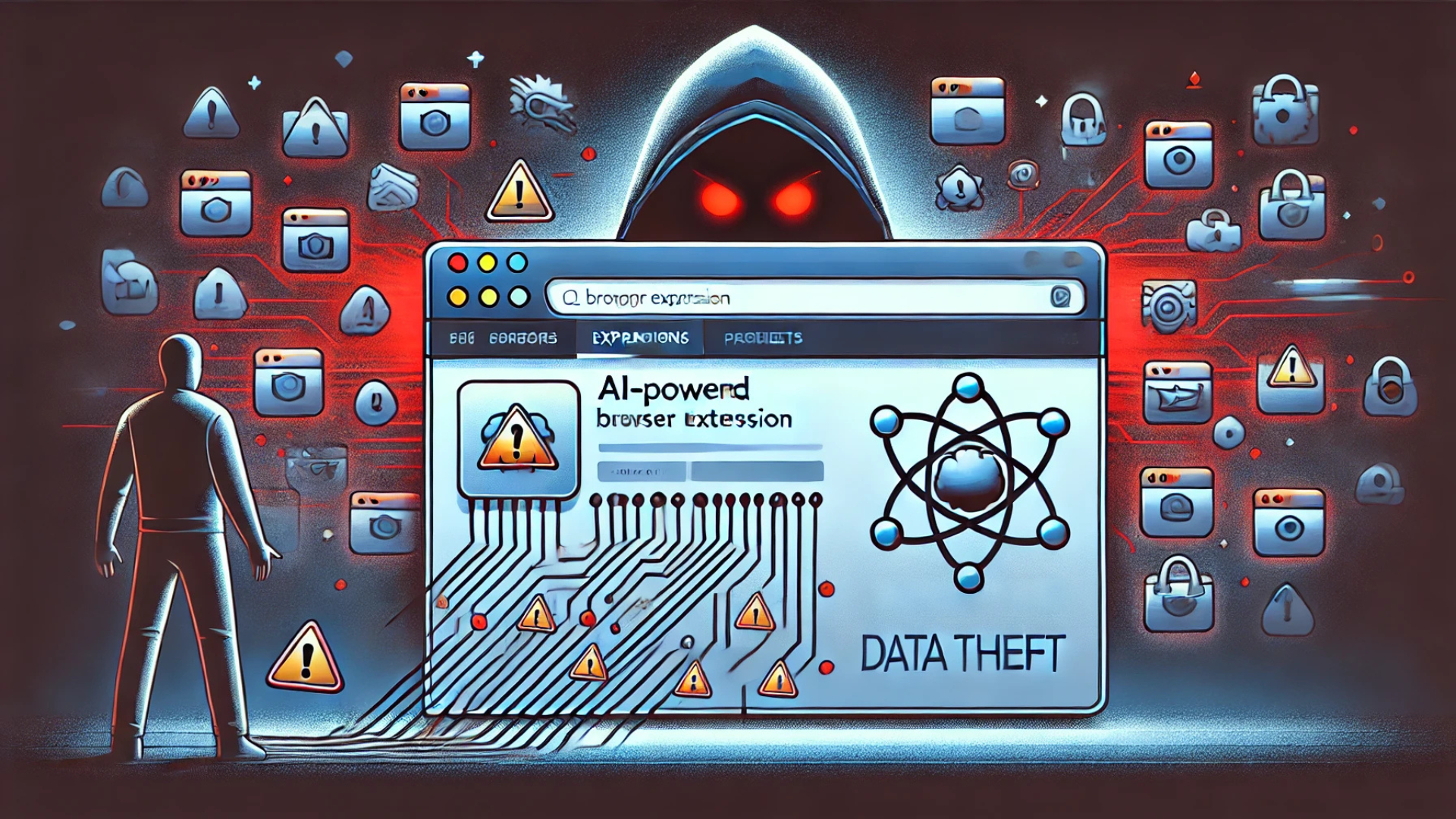
    In the rapidly evolving digital age, AI-driven browser extensions are indispensable tools for small businesses, enhancing productivity and simplifying daily tasks. However, a recent cybercriminal campaign has put millions of users at risk by compromising at least 36 Google Chrome extensions that mimic popular AI and VPN services. This breach primarily affects small businesses and digital marketers, exposing them to severe data theft.

    The Rising Threat: Compromise of AI and VPN Chrome Extensions

    What You Need to Know:

    • Cybercriminals have hijacked 36 Chrome extensions, impacting over 2.6 million users.
    • These extensions, disguised as popular AI and VPN tools, were manipulated to deliver malware through seemingly legitimate updates.
    • The compromised extensions include names like “Bard AI Chat,” “ChatGPT for Google Meet,” and several VPN-related tools not affiliated with official providers like OpenAI or Google.

    Immediate Action Required: For a comprehensive list of affected extensions and detailed guidance, refer to the official security report linked at the end of this newsletter.

    How the Compromised Extensions Can Affect Your Business

    Malware Disguised as Updates:

    • Attackers distribute fake updates that, once installed, inject malicious code into the browser, enabling them to steal sensitive data.

    Data Targeted by Cybercriminals:

    • The focus is on Facebook Ads accounts from which attackers can extract login credentials, payment information, and critical business advertising data.

    Ongoing Risks:

    • Although many malicious extensions have been removed from the Chrome Web Store, some remain active and continue to pose a threat to users.

    Steps to Protect Your Business from Compromised Extensions

    1. Uninstall Suspicious Extensions: Immediately remove any questionable AI or VPN Chrome extensions not directly sourced from trusted developers like Google or OpenAI. Regularly review and adjust extension permissions to minimize potential exposure.
    2. Use Verified First-Party Extensions Only: To ensure security, utilize official extensions provided by recognized entities and avoid third-party tools that offer duplicated functionalities.
    3. Educate Your Team on Browser Security: Inform your staff about the risks associated with unauthorized extensions and enforce a browser security policy that limits the use of unverified extensions.
    4. Deploy Advanced Security Solutions: Implement comprehensive endpoint security software to detect and prevent malware infections. Ensure continuous protection against various cyber threats including spyware, ransomware, and phishing attacks.
    5. Regular Monitoring and Auditing: Conduct frequent security audits on browser extensions and enforce multi-factor authentication (MFA) to safeguard business accounts from unauthorized access.

    Key Takeaways for Safeguarding AI-Enhanced Workflows

    • The hijacking of 36 AI and VPN Chrome extensions highlights a significant cybersecurity threat, requiring immediate removal to protect your data.
    • Small businesses and marketers managing Facebook Ads accounts are at heightened risk and must prioritize security.
    • Adopt stringent security measures, restrict the use of browser extensions, and rely only on verified tools from reputable developers.
    • Ensure your cybersecurity defenses are robust, with up-to-date endpoint security solutions providing comprehensive protection.

    Stay Secure with Peris.ai

    With AI-driven cybersecurity threats becoming more sophisticated, it is critical for businesses to proactively secure their digital environments. Peris.ai is dedicated to equipping businesses with state-of-the-art cybersecurity solutions to combat and prevent emerging cyber threats.

    For more insights on how to protect your business and to explore advanced cybersecurity solutions, visit Peris.ai.

    Your Peris.ai Cybersecurity Team #YouBuild #WeGuard
  • Illegal Downloads: A Gateway to Malware and Cyber Threats

    Illegal Downloads: A Gateway to Malware and Cyber Threats

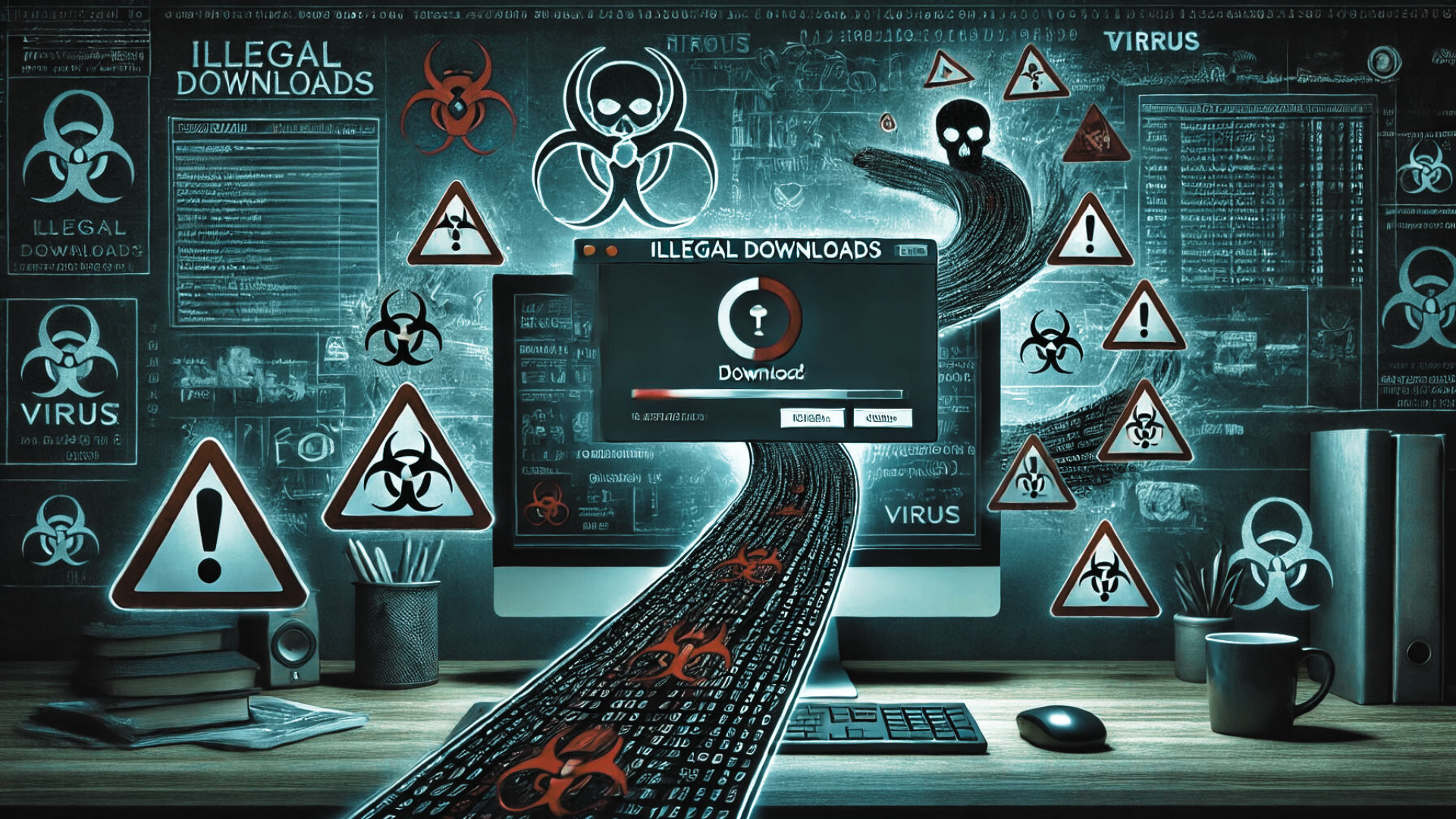
    Accessing movies from illegal download sites might seem like a harmless shortcut to entertainment, but it exposes users to significant cybersecurity dangers, including sophisticated malware attacks. A notable example is the recently discovered Peaklight malware, which specifically targets users frequenting these illicit sites.

    What is Peaklight?

    Memory-based Malware: Peaklight is particularly nefarious because it operates directly within the RAM of your computer, eluding many traditional antivirus programs that scan hard drives for threats.

    Infection Mechanism: The malware deploys via PowerShell scripts embedded within pirated movie downloads. Once activated, it can install additional harmful programs like Lumma Stealer and Hijack Loader, compromising personal data or granting cybercriminals remote access to the affected computer.

    How Does Peaklight Infect Your Computer?

    The infection process is alarmingly straightforward:

    1. Download Deception: Users download a ZIP folder containing what appears to be a movie file but is actually a Windows shortcut (LNK) file.
    2. Execution of Malware: Opening the LNK file triggers embedded JavaScript code, which runs secretly in the computer’s memory to launch the malicious Peaklight PowerShell script.
    3. Further Infection: Peaklight then establishes a connection to a remote server from which it downloads more malware, escalating the potential damage by stealing sensitive information or further compromising the system.

    Six Essential Practices to Safeguard Against Malware

    To protect yourself from Peaklight and other malware threats, follow these cybersecurity best practices:

    1. Avoid Pirated Content: Always use legitimate platforms for your digital content needs. Illegal download sites are hotbeds for malware disguised as legitimate files.
    2. Regular Software Updates: Ensure your operating system and all applications are up to date. Regular updates include critical security patches that protect against vulnerabilities exploited by malware like Peaklight.
    3. Robust Antivirus Protection: Utilize comprehensive antivirus software that includes real-time scanning capabilities, especially focusing on RAM. It should be capable of detecting and responding to unusual behaviors that indicate hidden malware.
    4. Vigilance with Links and Files: Exercise caution when dealing with links or files from unknown sources. Verify the authenticity of any download, especially those contained within ZIP or other compressed files.
    5. Strong Passwords and Two-Factor Authentication: Secure your online accounts with robust, unique passwords and enable two-factor authentication to add an extra layer of security.
    6. Scrutiny of Compressed Files: Since malware often hides in compressed files like ZIP or RAR, always scan these with your antivirus software before opening them.

    Cyber Risks Associated with Illegal Downloads

    The allure of free access to movies can be tempting, but the risks of encountering malware like Peaklight are high. This malware exemplifies the severe threats associated with illegal downloads, highlighting the importance of adhering to legal and secure sources for digital content.

    For the latest updates on cybersecurity threats and professional advice on safeguarding your digital presence, visit our website at Peris.ai. Remember, staying vigilant and proactive is key to protecting yourself online.

    Stay vigilant, stay protected.

    Your Peris.ai Cybersecurity Team #YouBuild #WeGuard
  • Stay Cautious: Encrypted PDFs are The Newest Method for Delivering Malware to Your Device

    Stay Cautious: Encrypted PDFs are The Newest Method for Delivering Malware to Your Device

    In the dynamic world of cyber threats, a new alarming trend has emerged, perpetrated by Russian-backed hackers utilizing malware cloaked as PDF encryption tools. This sophisticated tactic, aimed at compromising user information, involves sending victims encrypted PDFs under the guise of legitimacy. The unsuspecting recipients, upon expressing their inability to open the PDF, are then lured into downloading a malicious “encryption tool.” However, this tool is, in reality, a vehicle for malware delivery.

    Coldriver’s Shift Towards Malware Exploits

    The Threat Analysis Group (TAG), a dedicated team within Google specializing in the identification and neutralization of diverse security threats, highlights this tactic as a pivot towards malware-based attacks by Coldriver, a group traditionally known for its phishing exploits. The simplicity of the attack belies its effectiveness: a bait encrypted PDF followed by the provision of a malware-infused “encryption tool” that masquerades as a legitimate application, only to install backdoor malware named Spica on the victim’s device.

    Understanding Spica’s Impact

    Spica’s primary function is the theft of cookies from popular web browsers such as Google Chrome, Firefox, Edge, and Opera, thereby accessing the victim’s sensitive information. Google’s reports indicate that Spica has been active since September 2023, with Coldriver’s malicious activities traceable back to 2022.

    Proactive Defense Measures

    Google has responded to these threats by incorporating all known malicious domains, websites, and files related to these attacks into its Safe Browsing service, simultaneously alerting users who were potential targets. Nevertheless, individual vigilance and proactive measures remain paramount in safeguarding against such insidious threats. Essential steps include:

    1. Avoiding Unlicensed Software: The allure of bootleg software can be compelling, but the risks it poses to device security are significant. It is crucial to download software only from reputable sources, ensuring that any download links are verified and originate from trusted app stores.
    2. Exercising Caution with Links and Files: Suspicious, misspelled, or unfamiliar links should be approached with caution. Opt for accessing websites directly through manual input or trusted search engines, avoiding sponsored search results that may not always be secure.
    3. Regular Software Updates: Keeping your device’s software up to date is a critical security measure. Regular updates provide the latest security patches and enhancements, shielding your device from vulnerabilities that could be exploited by cybercriminals.
    4. Implementing Antivirus Protection: Antivirus software plays a crucial role in detecting and preventing malware infections, phishing emails, and ransomware scams. Ensuring comprehensive antivirus protection across all devices is a fundamental component of a robust cybersecurity strategy.

    Forward-Looking Cybersecurity Practices

    As the landscape of cyber threats continues to evolve, staying informed and adopting proactive security measures is essential. The emergence of malware disguised as encrypted PDFs underscores the need for heightened vigilance and the implementation of effective cybersecurity practices. By adhering to recommended precautions and leveraging advanced security solutions, individuals and organizations can fortify their defenses against the sophisticated tactics employed by cyber adversaries.

  • Alert: Widespread Android Malware Targets Banking Applications

    Alert: Widespread Android Malware Targets Banking Applications

    In a significant cybersecurity alert, researchers have identified a series of malicious Android applications that have been implicated in a widespread scheme to compromise banking data. Over 90 apps, accumulating more than 5.5 million downloads, were found disseminating malware on the Google Play Store. Here’s an in-depth look at the nature of these threats and how you can safeguard your devices.

    Critical App Removal

    Apps to Uninstall:

    • PDF Reader & File Manager by TSARKA Watchfaces
    • QR Reader & File Manager by risovanul

    Despite their removal from the Google Play Store, these apps may still pose a risk if previously installed. It is crucial for users to manually uninstall these applications to prevent potential data breaches.

    ️ Understanding Dropper Apps

    Functionality: Dropper apps cleverly evade initial security screenings by Google, appearing harmless upon download. However, once installed, these apps establish connections to hacker-controlled servers from which they then download and install malware onto the device.

    Malware Specifics: The primary threat from these apps is the Anatsa banking trojan, which targets a vast array of banking applications.

    The Threat of the Anatsa Banking Trojan

    Target Scope: Anatsa aggressively targets over 650 banking and financial apps across the US, UK, Europe, and Asia.Methodology: This trojan employs overlay attacks to steal login credentials by superimposing fraudulent login screens over legitimate banking apps.Potential Impact: The Anatsa trojan is capable of initiating transactions directly from the infected device, posing severe financial threats to the user.

    ️ Protective Measures Against Malicious Apps

    To shield your device from such vulnerabilities, consider adopting the following security measures:

    • App Limitation: Install only essential applications to minimize potential exposure to malware.
    • Developer Credibility: Opt for apps created by reputable developers known for their history of secure software.
    • Review Authenticity: Exercise caution with app reviews as they can be manipulated. Video reviews may offer a more trustworthy perspective.
    • Google Play Protect: Activate this feature to allow continuous scanning of your apps, ensuring immediate detection and response to any malicious software.
    • Antivirus Solutions: Augment your device’s security with top-tier Android antivirus applications that may also provide additional features like VPNs or password managers.

    Google’s Proactive Steps

    In response to the discovery of these threats, Google has taken swift action by removing all identified malicious apps from the Play Store. Google Play Protect continues to play a crucial role in safeguarding Android devices by automatically disabling or removing apps known to harbor this malware.

    Stay Informed and SecureRemaining vigilant and informed is your best defense against the evolving landscape of cyber threats. Regular updates, cautious app installations, and robust cybersecurity practices are paramount.

    For further insights and continuous updates on protecting your digital life, visit Peris.ai Cybersecurity. We are committed to equipping you with the tools and knowledge needed to defend against sophisticated digital threats.

    Your Peris.ai Cybersecurity Team#YouBuild #WeGuard

    By staying informed and proactive, you can significantly enhance the security of your devices and personal data.

  • Innovative Malware UNAPIMON Evades Detection with Uncommon Tactics

    Innovative Malware UNAPIMON Evades Detection with Uncommon Tactics

    Cybersecurity experts at Trend Micro have recently brought to light an ingenious piece of malware, dubbed UNAPIMON, which has been designed to stealthily bypass antivirus solutions. This novel threat is attributed to Winnti, a notorious Chinese state-sponsored group with a history of launching sophisticated cyberattacks on governments, tech companies, think tanks, and more.

    A Twist on Traditional Malware Techniques

    UNAPIMON stands out from conventional malware through its unique approach to evading detection. Traditional malware often employs API hooking to intercept and manipulate software functions for malicious purposes, a technique also utilized by security tools to monitor and thwart such threats. However, UNAPIMON takes a different path by leveraging Microsoft Detours to unhook critical API functions in child processes, particularly targeting the CreateProcessW API function. This strategic maneuver allows it to slip past antivirus programs undetected.

    The Simplicity and Creativity Behind UNAPIMON

    What makes UNAPIMON particularly noteworthy is its blend of simplicity and innovation. By utilizing Microsoft Detours, a legitimate debugging library, in a malevolent fashion, the malware showcases the versatility of common tools when wielded with malicious intent. This not only reflects the technical skill and creativity of its creators but also poses a significant challenge to behavioral detection mechanisms due to the tool’s legitimacy.

    Winnti’s Track Record of Evasion Tactics

    Winnti has long been recognized for its creative methods of avoiding detection. Past exploits include manipulating Windows print processors to conceal malware and persist within target networks, as well as fragmenting a Cobalt Strike beacon into over a hundred pieces to evade detection, only reassembling it when necessary. These incidents, detailed by BleepingComputer, underscore the group’s persistent innovation in crafting tools and methods to circumvent traditional cybersecurity defenses.

    Implications and the Path Forward

    The emergence of UNAPIMON underscores the ever-evolving landscape of cyber threats and the continuous arms race between cybercriminals and security professionals. It highlights the necessity for cybersecurity defenses to adapt to the increasingly sophisticated and inventive tactics employed by threat actors. As malware writers leverage the potential of common and legitimate tools for malicious purposes, the challenge for cybersecurity solutions to distinguish between benign and malevolent use becomes ever more complex.

    Peris.ai Cybersecurity emphasizes the importance of staying informed about the latest malware developments and enhancing detection capabilities to protect against innovative threats like UNAPIMON. The cybersecurity community must remain vigilant and foster a culture of continuous learning and adaptation to counter the sophisticated strategies employed by state-sponsored groups and other cyber adversaries.

  • Stay Secure: How to Identify and Avoid VPN Scams Like Fake NordVPN Ads

    Stay Secure: How to Identify and Avoid VPN Scams Like Fake NordVPN Ads

    In a recent disclosure, cybersecurity expert Jérôme Segura from Malwarebytes has uncovered a malicious ad campaign on Bing that mimics the official site of NordVPN. This sophisticated scam redirects unsuspecting users to a fraudulent website designed to install the SecTopRAT malware on their devices. While the total number of successful attacks remains unclear, the potential impact is significant.

    Understanding Malvertising and Its Impact

    Malvertising, or the use of online advertisements to spread malware, is a growing concern, especially with the integration of AI in chatbots enhancing the sophistication of these campaigns. Cybercriminals either purchase ad space or compromise existing ad campaigns to push malicious content, exploiting platforms like Google and Microsoft Bing. The latter is particularly vulnerable due to its integration with the Windows ecosystem and the Edge browser.

    The Perpetual Threat of VPN Scams

    NordVPN, a widely recognized name in the VPN industry, is often impersonated due to its popularity. Cybercriminals exploit the brand to launch attacks, taking advantage of the public’s increasing interest in privacy tools. Laura Tyrylytė, Head of Public Relations at Nord Security, highlights that malicious actors utilize the reputation of well-known brands to orchestrate these attacks, which are not exclusive to the VPN industry.

    In 2020, NordVPN’s security team addressed a similar threat by taking down a fake website distributing malware. Moreover, a 2021 report by Zscaler ThreatLabZ revealed that cybercriminals were distributing infostealer malware, such as Raccoon stealer, through counterfeit VPN apps posing as reputable services like NordVPN, Hotspot Shield, and F-Secure Freedom VPN.

    Strategies to Combat VPN Scams

    Despite the challenges, there are effective ways to identify and avoid falling victim to VPN scams:

    • Domain Verification: Always check the URL carefully. Official NordVPN domains are limited to https://nordvpn.com/, https://support.nordvpn.com/, and https://nordvpn.org/. Any deviation, especially misspellings like ‘nordivpn[.]xyz’, is a red flag.
    • Beware of URL Shorteners: Shortened URLs can obscure the actual destination, hiding malicious links. Tools like Link Checker can verify the safety of these links.
    • Check Domain Age: Newly created domains, like those registered only days before being used in campaigns, are suspicious.
    • Secure Connection Signs: Look for a padlock symbol next to the URL in your browser or ensure the URL is highlighted in green. Absence of these or a ‘Not secure’ warning is a cautionary sign.
    • Download Sources: Always download software from reputable app stores or directly from the provider’s official website.
    • Use an Ad-Blocker: Ad-blockers can prevent malicious ads from rendering in your browser, providing an additional layer of protection.

    NordVPN’s Proactive Measures and the Role of Search Engines

    NordVPN actively monitors various platforms to detect and report malicious ads quickly. However, the effectiveness of these efforts is partly dependent on the cooperation of platforms like Google and Microsoft, which must diligently manage and filter the ads they allow. Tyrylytė emphasizes the need for these search engines to allocate more resources to prevent malicious ads from appearing and causing harm to users.

    Partner with Peris.ai Cybersecurity for Enhanced Protection

    Understanding the mechanics behind VPN scams and the tactics used by cybercriminals is crucial for digital safety. Peris.ai Cybersecurity is dedicated to providing the knowledge and tools necessary to protect against these sophisticated threats. Visit our website to stay updated with the latest cybersecurity trends and safeguard your digital life with effective strategies and solutions.

    Protect yourself and your organization by staying informed and prepared. Partner with Peris.ai Cybersecurity to navigate the complex landscape of cyber threats confidently.

  • Beware: New Android Malware Steals Private Keys from Screenshots and Images

    Beware: New Android Malware Steals Private Keys from Screenshots and Images

    In 2024, a new Android malware called SpyAgent has emerged, threatening cryptocurrency holders by using optical character recognition (OCR) technology to steal private keys from images and screenshots stored on devices. Here’s an in-depth look at how SpyAgent operates and steps you can take to safeguard your digital assets.

    Understanding SpyAgent’s Operation

    Mechanism of Attack:

    • Target Applications: SpyAgent masquerades as legitimate applications such as banking, streaming, and government apps to deceive users into installation.
    • Data Harvesting: Once installed, the malware scans for images and screenshots on the device, specifically searching for cryptocurrency wallet recovery phrases. These private keys are crucial as they grant access to the user’s cryptocurrency funds.

    ⚠️ Distribution Techniques of SpyAgent

    Spread Mechanisms:

    • Communication Channels: The malware is predominantly spread through malicious links shared via text messages and social media platforms.
    • Deceptive Installations: Users are tricked into downloading fraudulent apps from websites that mimic reputable sources. These apps are designed to look authentic and trustworthy to elicit user trust and compliance.

    Scope of the Attack

    Recent Developments:

    • Geographical Focus: Initially, SpyAgent has heavily targeted users in South Korea, with over 280 fake apps identified as part of the campaign.
    • Global Expansion: There are indications that SpyAgent’s activities are extending to the UK, and there is ongoing development towards creating a version that could potentially affect iOS users as well.

    Strategies to Defend Against SpyAgent

    Protective Measures:

    • App Source Verification: Always download apps from official app stores such as Google Play to minimize the risk of encountering malicious software.
    • Secure Storage Practices: Avoid storing sensitive information like cryptocurrency recovery phrases on your phone. Opt for physical security devices or dedicated secure storage solutions.
    • Permission Management: Scrutinize the permissions requested by apps. Limit access to essential functions only, particularly for new or less trusted applications.
    • System Updates: Maintain up-to-date security measures by regularly updating your device’s operating system and security applications to protect against known vulnerabilities.

    ‍☠️ Context: Rising Threats in Cryptocurrency Security

    The rise of digital currencies has led to increased activities by cybercriminals aiming to exploit the digital finance space. Tools like SpyAgent and other malware variants, such as the Cthulhu Stealer targeting macOS, highlight the ongoing and evolving threats to cryptocurrency users.

    For more comprehensive cybersecurity insights and to stay updated on the latest methods to protect your digital interests, visit our website at peris.ai.

    Stay vigilant and secure,

    Your Peris.ai Cybersecurity Team #YouBuild #WeGuard

  • Innovative Phishing Strategy Employed by Russian Cyber Group Targets Global Audience via Microsoft Windows Feature

    Innovative Phishing Strategy Employed by Russian Cyber Group Targets Global Audience via Microsoft Windows Feature

    A renowned Russian cyber group, identified by multiple aliases including APT28, Fancy Bear, Forest Blizzard, and ITG05, has recently been spotlighted for exploiting a legitimate feature within Microsoft Windows to disseminate infostealers among other malicious software, affecting users globally. This alarming development was detailed in a recent analysis by the cybersecurity division of IBM, known as X-Force. The analysis covers the group’s activities from November of the previous year to February of the current year.

    This cyber campaign ingeniously impersonates government and non-governmental organizations spanning across Europe, the South Caucasus, Central Asia, and the Americas, engaging victims through seemingly benign emails. These emails are particularly deceptive as they contain weaponized PDF attachments.

    Exploitation of Windows Search Protocols for Malware Deployment

    The malicious PDFs include URLs directing to compromised websites that manipulate the “search-ms:” URI protocol handler and the “search:” application protocol within Windows. These features are designed to facilitate local searches on a device and to invoke the desktop search application, respectively. However, in this nefarious context, they lead victims to perform searches on attacker-controlled servers, presenting malware in the guise of PDF files via Windows Explorer. Victims are then coaxed into downloading and executing these files.

    Compromised Infrastructure and Malware Deployment

    The attack infrastructure relies on WebDAV servers, likely situated on compromised Ubiquiti routers previously linked to a botnet allegedly dismantled by U.S. authorities last month, as reported by The Hacker News. Although the specific targets of these attacks have not been disclosed, the countries of the impersonated government and NGO entities include Argentina, Ukraine, Georgia, Belarus, Kazakhstan, Poland, Armenia, Azerbaijan, and the U.S., suggesting a widespread geographical impact.

    The malware variants identified in these attacks, namely MASEPIE, OCEANMAP, and STEELHOOK, are equipped to steal files, execute commands remotely, and pilfer browser data. The adaptability and evolving nature of ITG05’s tactics underscore a continuous threat landscape, as noted by IBM’s X-Force. The group’s ability to modify its attack methodologies and leverage available commercial infrastructure while enhancing its malware capabilities poses a significant challenge to cybersecurity defenses worldwide.

    At Peris.ai Cybersecurity, we emphasize the importance of vigilance and advanced protective measures against such sophisticated cyber threats. Staying informed about the latest cyberattack strategies is crucial for safeguarding sensitive information and maintaining digital security.

  • The Overlooked Importance of Webcam Security

    The Overlooked Importance of Webcam Security

    In today’s digital era, webcam security remains a pertinent concern, highlighting the need for physical privacy measures. A recent discovery involving the manipulation of webcam firmware on older laptops such as the Lenovo ThinkPad X230 reveals that covering your webcam is more than just a precaution—it’s a necessary defense against sophisticated cyber threats.

    The Vulnerability of Webcams

    Internal USB Connections:

    • Exposure: Many laptop webcams are connected via USB, which can be exploited to flash custom firmware. This manipulation allows hackers to control the webcam’s LED, facilitating covert operations without triggering the usual visual alerts.
    • Example: The ThinkPad X230, a model over a decade old, demonstrated that its webcam firmware could be rewritten to operate the camera independently from the LED indicator.

    Software-Controlled LEDs:

    • Misconception: It’s commonly believed that webcam LEDs are directly connected to the camera’s power supply. However, in many devices, the LED operation is software-controlled, providing an opportunity for hackers to deactivate it while the webcam remains active.

    Exploitation Techniques

    Firmware Manipulation:

    • Method: By reflashing the firmware of the USB-connected webcam, attackers can take control over the camera functions, bypassing physical security measures like LED indicators.
    • Impact: This vulnerability primarily affects older devices that lack modern firmware validation mechanisms.

    Proof-of-Concept:

    • Demonstration: A security engineer showcased how an outdated ThinkPad X230’s firmware could be altered, serving as a stark reminder that older technology can host enduring vulnerabilities.

    Modern Devices:

    • Not Fully Protected: Despite advancements like digital signature checks in newer laptops, some models still permit software-based control over LED indicators, posing ongoing risks.

    Protective Measures for Enhanced Privacy

    Physical Security:

    • Webcam Covers: Employing a simple sticker or a sliding cover can physically block unauthorized camera access.
    • Hardware Switches: Selecting devices with physical switches for webcams and microphones provides a reliable security layer.

    Technology Updates:

    • Firmware Upgrades: Keeping your device’s firmware up-to-date is crucial for defending against known exploits.
    • Device Preferences: Opt for laptops that feature secure firmware update processes and hardware-based LED indicators.

    Practical Tips:

    • Disable Unnecessary Access: Limit webcam access to applications only when it is essential.
    • Regular Updates: Continuously update your device to patch any vulnerabilities that could be exploited.

    The Significance of Webcam Security

    The potential for webcams to be exploited by cybercriminals underscores the importance of taking proactive steps to protect your privacy. By understanding the technical vulnerabilities and implementing both physical and software safeguards, you can significantly mitigate the risk of unauthorized surveillance.

    Conclusion

    Covering your webcam and staying informed about device security are not signs of paranoia but are practical, necessary measures in our increasingly surveilled world. For comprehensive cybersecurity solutions and the latest protective strategies, visit Peris.ai.

    Your Peris.ai Cybersecurity Team #YouBuild #WeGuard

  • Beware of Fake Hamster Kombat Apps: Protect Yourself from Malware

    Beware of Fake Hamster Kombat Apps: Protect Yourself from Malware

    The explosion in popularity of the mobile game “Hamster Kombat” has unfortunately drawn the attention of cybercriminals. Released in March 2024, the game boasts over 250 million players and maintains a significant presence with 53 million users on its Telegram channel. Cybercriminals are capitalizing on this success by distributing fake Android and Windows applications designed to install spyware and steal personal information.

    ️‍♂️ Targeting Tactics by Threat Actors

    Cybercriminals use various methods to deceive ‘Hamster’ enthusiasts:

    • Fake Apps on Google Play: A cloned app, titled ‘Hamster Kombat – Earn Crypto’, was identified and removed for spreading malware.
    • Telegram Channel Exploits: Several unofficial Telegram channels, like ‘HAMSTER EASY’, have been caught distributing Android malware such as the Ratel spyware through APK files masquerading as genuine game enhancements.

    Malware Employed in These Scams

    The types of malware associated with these fraudulent activities include:

    • Ratel Spyware: This spyware is particularly intrusive, capable of intercepting SMS messages and device notifications to enroll victims in premium services surreptitiously.
    • Fake Websites: Sites like ‘hamsterkombat-ua.pro’ mislead visitors with ads, profiting from unwary traffic.
    • Lumma Stealer: Found on malicious GitHub repositories, this malware purports to offer helpful farming bots for Hamster Kombat but instead steals information. It is available in several programming languages, each tailored to look more convincing, such as a Python version with a graphical installer designed to deceive.

    How to Stay Safe from Hamster Kombat Scams

    To protect yourself from falling victim to these scams, consider the following safety tips:

    1. Download from Official Sources: Always obtain the game directly from the official Telegram channel or the game’s authentic website.
    2. Avoid Clones: Exercise extreme caution with any apps that resemble Hamster Kombat, as they are often scams or malware carriers.
    3. Exercise Caution with Security: The legitimate Hamster Kombat game itself lacks comprehensive security evaluations, as it isn’t hosted on major platforms like Google Play or the App Store.
    4. Heed User Warnings: Pay attention to community reports, especially those highlighting scams involving clone apps that fail to process promised financial transactions.
    5. Explore Safer Alternatives: Consider engaging with other cryptocurrency gaming projects that have established and verified systems.

    Trust but Verify

    In an era where digital recreation can unexpectedly turn into a cybersecurity threat, maintaining vigilance is crucial. Always ensure the authenticity of sources for any download, particularly when financial transactions or sensitive data are involved. By staying informed and cautious, you can enjoy digital entertainment without compromising your security.

    For continuous updates and more in-depth cybersecurity insights, ensure to visit our website at Peris.ai.